Used MIDITrail for iOS?


MIDITrail Analysis

AI Assisted Content ·

Not written by CNET Staff.

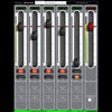
MIDITrail is an innovative multimedia player designed for iOS that focuses on MIDI file playback and visualization. Users can enjoy a captivating 3D representation of MIDI data, enhancing the listening experience through stunning visuals that sync with the music. The application supports Standard MIDI File formats 0 and 1, CoreMIDI, and multiple MIDI ports, allowing for a versatile approach to playing MIDI files from various sources, including Windows, macOS, and iOS devices.

In addition to standard playback, MIDITrail offers an optional virtual reality experience, enabling users to immerse themselves in a 3D environment with affordable VR glasses and an iPhone game controller. Transferring MIDI files to the app can be done easily through iTunes or the Files app on an iOS device. MIDITrail also supports external sound modules and synthesizers, providing options for enhanced audio experiences, including an internal wavetable synthesizer with pre-transferred wavetable files.


Enlarged image for MIDITrail
MIDITrail 0/1

Used MIDITrail for iOS?


Explore More


Full Specifications

GENERAL
Release
Latest update
Version
2.0.1
OPERATING SYSTEMS
Platform
iOS
Operating System
iOS 16.4
POPULARITY
Total Downloads
223
Downloads Last Week
0

Report Software

Last Updated


Developer’s Description

MIDITrail is a MIDI player which provides 3D visualization of MIDI data sets.You can enjoy not only listening but also viewing.MIDITrail supports...
MIDITrail is a MIDI player which provides 3D visualization of MIDI data sets.You can enjoy not only listening but also viewing.MIDITrail supports Standard MIDI File (format 0/1), and CoreMIDI.Requirements: iOS 5.1(1) Preparing MIDI filesYou have to transfer MIDI files to your iOS device from Mac or PC.Connect your iOS device to Mac or PC, and launch iTunes.Then you can transfer MIDI files using 'File Sharing'.(2) Preparing Sound moduleMIDITrail does not have software synth.You have to prepare sound module which supports CoreMIDI. There are two ways as shown below:The first way is to connect MIDI interface device and external sound module. (e.g. iRig MIDI, i-MX1, etc.)The second way is to use Synth App which supports 'Virtual MIDI Port' and 'Background Mode'. (e.g. bs-16i, etc.)

Download.com
Your review for MIDITrail
Download.com

AI Assisted Content Disclosure

Content created and reviewed by Softonic with information obtained from WADA Masashi, using AI.

CNET's editorial team was not involved in the creation of this content. Opinions, analysis and reviews were not provided by CNET.