Used Mechanical Live Wallpaper & Animated Keyboard for Android?


Mechanical Live Wallpaper & Animated Keyboard Analysis

AI Assisted Content ·

Not written by CNET Staff.

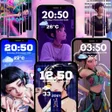
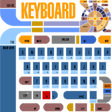
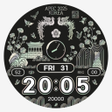
Mechanical Live Wallpaper & Animated Keyboard is a free Android application designed to enhance the aesthetic appeal of mobile devices. This app features a variety of high-definition wallpapers that can be set as home screen and lock screen backgrounds, allowing users to personalize their device's look. The wallpapers are complemented by an animated keyboard that brings a dynamic touch to typing, with multiple themes available to match the selected wallpaper. The user interface is modern and intuitive, making it easy to navigate through the available options.

Top Recommended Alternative

In addition to its visual enhancements, the app offers customization features that allow users to switch between different themes for both the wallpaper and keyboard. This flexibility ensures that users can create a cohesive and unique style for their Android device. The application is suitable for those who appreciate modern design and want to express their individuality through their smartphone's appearance.

Enlarged image for Mechanical Live Wallpaper…
Mechanical Live Wallpaper & Animated Keyboard 0/4

Used Mechanical Live Wallpaper & Animated Keyboard for Android?


Explore More


Full Specifications

GENERAL
Release
Latest update
Version
5.15.1
OPERATING SYSTEMS
Platform
Android
Operating System
Android 13.0
POPULARITY
Total Downloads
236
Downloads Last Week
0

Report Software

Program available in other languages


Last Updated


Developer’s Description

Beautiful Animated Theme Design...

Beautiful Animated Theme Design

Mechanical Live Wallpaper & Animated Keyboard combines stunning graphics with beautiful animations for a complete phone makeover. Enjoy the amazing graphics and cool animation... it is FREE and easy to install.

Amazing Call Screen Animations

Beautiful, dynamic and stylish caller screen themes to customize the after call screen.

To activate the keyboard theme follow the instructions bellow:

- Install Mechanical Live Wallpaper & Animated Keyboard;

- Open app;

- Click "Apply Keyboard" button. You'll be redirected to the theme manager and the theme will be applied;

- If you don't have Wave Keyboard, our app will redirect and guide you through the installation process;

To activate the live wallpaper theme follow the instructions bellow:

- Install Mechanical Live Wallpaper & Animated Keyboard;

- Open app;

- Click "Apply Wallpaper" button. On the next screen you will have a Download followed by an Apply button => the theme will be applied;

- ENJOY!

Awesome Features

- HD unique graphics for your keyboard & phone background;

- custom keyboard & wallpaper;

- privacy - we do not monitor or store your typing activity;

- optimized for battery life

Your feedback is highly appreciated and will help us improve our ability to create even better themes in the future.


Download.com
Your review for Mechanical Live Wallpaper & Animated Keyboard
Download.com

AI Assisted Content Disclosure

Content created and reviewed by Softonic with information obtained from Wave Keyboard Design Studio, using AI.

CNET's editorial team was not involved in the creation of this content. Opinions, analysis and reviews were not provided by CNET.