Used Material Things Lollipop Free for Android?


Material Things Lollipop Free Analysis

AI Assisted Content ·

Not written by CNET Staff.

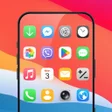
Material Things Lollipop Free is a versatile Android app designed to enhance the aesthetic appeal of your device through a unique icon pack. This free application allows users to easily customize their Android phones and tablets with a fresh set of icons that stand out from standard offerings. Additionally, it includes a selection of matching wallpapers and a clock widget, providing a cohesive look for your home screen. The design quality is tailored to ensure that the icons maintain their visual appeal across different screen sizes and resolutions.

The installation process is straightforward; users simply need to open the app and select the 'Apply' option to change their device's icons. The app is compatible with various launchers, making it accessible for a wide range of users. It is recommended for devices running Android OS 4.1 or higher to ensure optimal performance. With its user-friendly interface and aesthetic enhancements, Material Things Lollipop Free is a solid choice for individuals looking to personalize their mobile experience.

Enlarged image for Material Things Lollipop …
Material Things Lollipop Free 0/4

Used Material Things Lollipop Free for Android?


Explore More

Full Specifications

GENERAL
Release
Latest update
Version
3.8.7
OPERATING SYSTEMS
Platform
Android
Operating System
Android 15.0
POPULARITY
Total Downloads
22
Downloads Last Week
7

Report Software

Program available in other languages


Last Updated


Developer’s Description

Colorful material design icons with Lollipop inspired wallpapers. Free Version
-- FREE VERSION -- Has around 75% of the icons and fewer color choices for generic icons. Get the Full version for updates & support.Full version here: https://www.google.com/url?q=https://play.google.com/store/apps/details?id=com.natewren.materialthingsThis free version has about 3/4 of the full versions material/lollipop icons, all the wallpapers and no ads! Treat yourself with Material Things, an icon theme for your android phone or tablet based on material design and wallpapers inspired by android lollipop. Color up your display with some simple, clean material Icons and lollipop wallpapers-- Features --- 850+ hand crafted flat, clean & simple material flat-design HD Icons.- New Icons added constantly- All material wallpapers shown are included!- XXXHDPI high definition icons included for super large HD screens. All Icons are 192x192.- 14 Customized material/lollipop designed wallpapers. Wallpapers are 3D renders inspired by the lollipop theme and material design.- Contains over 850 different clean, flat and material design/lollipop-based icons with many variations of default icons such as phone, contacts, camera, etc.- Wallpaper chooser comes installed.- Clean, material, lollipop icons go with any background.- Constantly updated along with my other icon packs!Supported Launchers: (There are free versions of these. Dev recommends Nova Launcher)- ADW Launcher - Recommended size: 115%- Action Launcher- Apex Launcher - Recommended size: 115%- Holo Launcher- Go Launcher- Next Launcher- Nova Launcher - Recommended size: 115%** How to apply the theme **1. Open the app after installing2. Press "Apply Theme"3. Select Launcher type**Install via Launcher**Apex Launcher: Apex settings > Theme settingsNova Launcher: Nova Settings > Look and feel > Icon ThemeADW Launcher: On home screen, press "Menu" > More > ADWSettings > Themes Preferences > Select theme- Holo Launcher: Onhome screen, press "Menu" > Launcher Settings > Appearance Settings > Icon Pack > Select ThemeIf you have any questions/comments or any requests you can email me at natewren@gmail.comRecent changes:Please email natewren@gmail.com with any problems/comments!Content rating: Everyone

Download.com
Your review for Material Things Lollipop Free
Download.com

AI Assisted Content Disclosure

Content created and reviewed by Softonic with information obtained from Nate Wren - Graphic Design, using AI.

CNET's editorial team was not involved in the creation of this content. Opinions, analysis and reviews were not provided by CNET.