Used Lock Screen MAC Style for Android?


Lock Screen MAC Style Analysis

AI Assisted Content ·

Not written by CNET Staff.

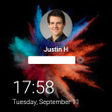
Lock Screen MAC Style is a free Android application designed to personalize the lock screen of your mobile device. This app allows users to customize various elements, including the color and style of time and date icons, making it easy to create a unique look. The interface is user-friendly, catering to individuals who wish to add a personal touch to their device without extensive technical knowledge.

The application offers a range of customization options, enabling users to choose from different themes and layouts. This flexibility allows for a more visually appealing lock screen that reflects personal preferences. Additionally, the app's straightforward installation process ensures that users can quickly apply their desired changes, enhancing the overall user experience.

Enlarged image for Lock Screen MAC Style
Lock Screen MAC Style 0/4

Used Lock Screen MAC Style for Android?


Explore More


Full Specifications

GENERAL
Release
Latest update
Version
4.6
OPERATING SYSTEMS
Platform
Android
Operating System
Android 15.0
POPULARITY
Total Downloads
29
Downloads Last Week
7

Report Software

Program available in other languages


Last Updated


Developer’s Description

This is A MAC Style Lock Screen APK file for Android 5.0+ and up.

This is A MAC Style Lock Screen APK file for Android 5.0+ and up. MAC Style Lock Screen is a free Personalization app. It's easy to download and install to your mobile phone.

The average rating is 4.80 out of 5 stars on playstore. If you want to know more about MAC Style Lock Screen then you may visit Silky apps studio Launchers and Themes support center for more information

All the apps & games here are for home or personal use only. If any apk download infringes your copyright, please contact us. MAC Style Lock Screen is the property and trademark from the developer Silky apps studio Launchers and Themes.

In the world of phones, we are always looking for new ways to get information faster. Many developers have started with the lock screen. At a very basic level, stock lock screens carry some sort of shortcuts to the camera as well as time and weather apps. There are a few lock screens that even show you a few headlines or recent apps.

MAC Style lock screen is a highly customization lock screen with a number of ways to gain control of the information you see. Starting off, there are four main things you get to control, Notifications, Weather.

With the weather, just like most stock options, you choose your location, either automatically or manually. Now where it gets cool is the notifications. It gives you the option to light up the screen when you get a message from apps as well as which apps you get notifications from. The countdown day is exactly what it sounds like, where it allows you to set a timer. And the news setting gives you many options of the types of news you get to see.

Within Lock screen there are some deeper settings you can access such as the color for the time, date and camera icons. You can select different types of lock screen unlocks like slide to unlock, unlock sound and more. There are tons of style and wallpaper options this app offers for download. In order to download these you must watch a short video .

Lock screen also has a built-in a battery saving element that will alert you of things running needlessly in the background consuming precious power. The application is an excellent with live wallpapers. It is beautiful, safe and custom.

Lock screen Feature

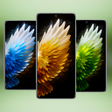
A lot of beautiful wallpaper Android 10 including the famous live wallpaper smoke.

Slide to easily unlock your phone with subtle animations and sounds.

Set Pin or Password via Keypad Lock Screen to Enhance Security Lock your Phone.

Supports custom slide text, you can use your name or other words to personalize your Lock screen.

Live wallpaper effect with snow fall and fly fireflies with magic touch.


Download.com
Your review for Lock Screen MAC Style
Download.com

AI Assisted Content Disclosure

Content created and reviewed by Softonic with information obtained from Silky Apps Studio, using AI.

CNET's editorial team was not involved in the creation of this content. Opinions, analysis and reviews were not provided by CNET.