Used Launcher OS 27 iOS Style for Android?
Editors’ Review
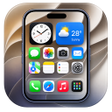
Launcher OS 27 – iOS Style from Sunny IT is an Android personalization app that replaces the device home screen with an iOS-inspired layout for users seeking an Apple-like interface on Android. The app presents rounded icons, a configurable bottom dock, and an automated App Library to organize installed programs. Its lightweight design and reported smooth navigation suit users who value tidy app layouts and a familiar, minimalist arrangement without leaving the Android ecosystem.
It reproduces the iOS visual layout on Android
The app replaces the default Android home screen and presents a layout defined by rounded app icons, a bottom dock, and an App Library. That combination recreates the visual hierarchy typical of an iPhone home screen while keeping Android apps accessible. The App Library automatically categorizes installed applications, which reduces manual folder management and keeps primary pages focused on a curated selection of shortcuts.
Customization depth focuses on icon styling and quick access
Customization centers on the home screen aesthetic and docking behavior rather than deep system modifications. Users can adjust the bottom dock to pin favorite apps and use multiple home pages for organization. The design emphasizes simplified control over icon presentation and access order, rather than offering extensive widget layout or alternate system UI theming options.
Background impact and compatibility remain modest by design
Sunny IT describes the interface as lightweight and the app reports smooth navigation, indicating a low resource footprint for typical use. The launcher is optimized for various screen sizes and receives updates for compatibility with recent desktop operating systems, which suggests proactive maintenance. Animated or GPU-heavy effects are not listed, so GPU load is likely minimal compared with fully animated wallpaper tools.
Setup and day-to-day use is straightforward with some ads
Setting the app as the default home screen follows the standard Android flow, including an on-screen prompt and the system Default Apps setting. Daily use keeps Android system features reachable from the new layout. User feedback mentions smooth navigation, while some users noteAdvertisements appear inside the interface, which affects the visual continuity of the iOS-style presentation.
Pros
- Automated App Library organizes installed applications automatically
- Customizable bottom dock gives quick access to favorite apps
- Rounded icon styling and multiple pages mimic iOS layout accurately
- Lightweight design and smooth navigation for typical devices
Cons
- Advertisements appear inside the interface and affect visual continuity
- No explicit mention of widget support or custom icon packs
- Customization focuses on aesthetics rather than deep system theming
Bottom Line
The launcher suits users wanting an iOS-like interface but expect ads
The app is a practical option for Android users who want an iPhone-style home screen and automated app organization without deep system changes. The lightweight design and organized App Library support tidy workflows, while the presence of advertisements inside the interface may interrupt the visual experience for some. The launcher fits anyone looking to adopt a familiar iOS layout on their Android device with minimal setup effort.
Used Launcher OS 27 iOS Style for Android?