Used Kakuro for Windows?


Editors’ Review

Download.com staff
This Kakuro game offers a refined Sudoku and crossword experience with randomly generated number puzzles. Fill blanks with numbers 1-9 adhering to sum and uniqueness rules.
Enlarged image for Kakuro
Kakuro 0/1
  • Pros

    • Randomly generated puzzles for endless replayability
    • Clear rule enforcement with red highlighting
    • Helpful clue-hover feature displays possible equations
    • Intuitive number pad input system
  • Cons

    • Hint function adds significant time penalty
    • No difficulty selection mentioned
    • Crossword-like grid layout may not appeal to all

Used Kakuro for Windows?


Explore More


Full Specifications

GENERAL
Release
Latest update
Version
1.3.2
OPERATING SYSTEMS
Platform
Windows
Operating System
  • Windows 10
  • Windows Server
  • Windows 7
  • Windows 2000
  • Windows XP
  • Windows 2003
  • Windows NT
  • Windows Vista
  • Windows 98
  • Windows 8
  • Windows ME
Additional Requirements
Adobe AIR Runtime 2.5
POPULARITY
Total Downloads
250
Downloads Last Week
0

Report Software

Program available in other languages


Last Updated


User Reviews

2/5

1 User Votes


Developer’s Description

Solve the randomly generated crosswords with numbers.
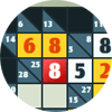
This highly addictive numerical game of Kakuro is refined from the fine elements of Sudoku and crossword. Come and challenge the randomly generated puzzles now! Your goal in this game is to fill in all of the blanks with numbers 1 to 9, such that the numbers in each horizontally or vertically connected group are not the same, and the numbers in a group will give the sum of the clue in front of the group. When the game opens, you will be given numerous blanks which are randomly divided into different groups, running horizontally or vertically. In front of each group a number is presented as a clue, indicating the sum of all numbers within that group. When you hover your mouse over a clue, the possible equations will be displayed for your reference. To fill in a blank, click the number pad on the left of the screen, then click the corresponding square. If a number you put violates the rules mentioned above, the corresponding squares will be highlighted in red, and you can remove the incorrect numbers by clicking the cross button on the number pad and selecting the corresponding squares. If you cannot make any moves, you may click the Hint button at the bottom of the screen to receive an answer, but note that each time you do so 100 seconds will be added to the time you have spent, as indicated at the bottom left corner. Spice up the lengthy days, animate the longsome nights and activate your mind as you engage in the latest puzzle craze.

Download.com
Your review for Kakuro