Used Italian Keyboard - Translator for Android?
Editors’ Review
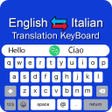
Type with a bilingual keyboard, dictate speech for voice-to-text, or tap a translation control to convert a message between English and Italian. Italian Keyboard - Translator, from Infinity Apps Studio, bundles those functions into an Android input method. The app offers Roman English phonetic conversion, smart word suggestions, and a built-in emoji and sticker library. Students learning Italian, bilingual communicators, and casual users messaging with Italian contacts are the primary audience for these integrated typing and translation tools.
Can it transcribe and translate spoken input?
The app includes a built-in Speak and Translate feature that handles both English and Italian audio input, converting speech into typed text and offering inline conversion. Because the keyboard bundles a translator and dictionary inside the input field, you can transcribe, edit, and convert speech without leaving the typing interface. Voice typing supports hands-free composition in both languages and routes the result directly into the active text field.
How straightforward is setup and switching on Android?
Setup follows standard Android input-method steps: open Settings, select Languages & Input, then Manage Keyboards and toggle the Italian Keyboard on. After enabling it you switch while typing by tapping the globe or keyboard icon. The keyboard exposes translation controls on the input bar so a single tap converts typed phrases, keeping translation actions inside the typing session rather than forcing app switching.
Is phonetic typing and customization accessible to learners?
Roman English converts English-style phonetic keystrokes into proper Italian script, which helps learners produce Italian text without memorizing layout differences. Smart word suggestions and auto-correction assist accuracy during composition. The app also includes a wide emoji and sticker library plus customizable keyboard themes and font colors, letting learners adjust visual contrast or key sizing while they practice typing and translating from the same interface.
Pros
- Integrated speech-to-text for both English and Italian audio input
- Roman English phonetic input converts English-style typing into Italian script
- Inline translation control converts typed phrases with a single tap
- Large emoji and sticker library plus theme and font color customization
Cons
- Android-only input method limits cross-platform use
- Supports English and Italian only, not additional languages
- Integrated translator may lack advanced features of standalone translation tools
Bottom Line
Practical for bilingual messengers and language learners
The app suits students and bilingual communicators who want typing, speech input, and quick translation bundled into one Android input method. Because it integrates translator and dictionary functions into the keyboard, users who need in-depth translation features or specialized linguistic tools may still prefer a dedicated translation app for complex or technical text. Recommended.
Used Italian Keyboard - Translator for Android?











