Used iPhone Emojis on Video for Android?
Editors’ Review
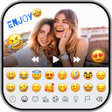
iPhone Emojis on Video, by Vk.soft.Dicapp, is an Android personalization and video editing app that brings the iOS emoji aesthetic into short-form clips. It lets users pick a video, overlay iOS-style emojis, and add stylized text through a straightforward editor. The app supports direct sharing to social platforms, targets creators preparing Reels or Shorts, and aims to give Android users the recognizable iPhone look without owning an iOS device.
Emoji collection emphasizes faithful iOS visuals
The app packages an extensive set of iOS-style emoji graphics that reviewers and users cite for their visual accuracy. That emphasis on faithful artwork is the central stylistic goal, aimed at creators who need recognizable glyphs in short clips. Because the product narrows its scope to a single aesthetic element, it prioritizes graphics fidelity over broad, timeline-based composition features.
Placement and text controls offer precise styling
Layout and typography are configurable through element placement and text styling. The editor provides:
- Drag-and-drop placement for emoji and text
- Font selection plus color and gradient fills
- Background options to adjust contrast or visibility
These controls address visual layout needs directly, avoiding complex track-based timelines while letting creators tune composition on a per-element basis.
Built for quick mobile edits on modern Android
The app is positioned as a lightweight alternative for a single, popular use case rather than a full production suite. It supports modern Android versions, typically Android 5.0 and up, so it runs on a broad range of devices. The interaction model centers on single-clip overlays instead of multi-layer projects, which keeps common tasks focused but limits advanced trimming and compositing.
Setup and workflow match fast social posting habits
Installation requires no rooting, and the app acts as a standalone video editor so system files are not modified. Common editing tasks are placed near the editor canvas to speed overlays and exports. The developer maintains a portfolio of Android personalization apps with substantial download counts, indicating experience delivering compact styling utilities rather than end-to-end production tools.
Pros
- Authentic iOS-style emoji collection for video overlays
- Text editor with font selection, color and gradient fills
- Drag-and-drop placement for precise emoji and text layout
- No rooting required; operates as a standalone video editor
Cons
- In-app advertisements appear frequently according to user reports
- Compatibility issues reported on some device brands like Redmi
- Focused on a single aesthetic use case, not a full editing suite
Bottom Line
A focused choice for creators seeking an iOS look
The app is a practical option for Android creators who want an iPhone emoji aesthetic in short-form clips, because it centers on that single visual change. Expect in-app advertisements and occasional compatibility issues reported on specific device brands. Tip: add emojis from the editor overlays rather than typing with the system keyboard to ensure exported clips show the selected iOS-style graphics.
Used iPhone Emojis on Video for Android?











