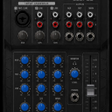
Used ION SOUND XP for Android?
ION SOUND XP Analysis
AI Assisted Content ·
Not written by CNET Staff.
ION Sound XP is a multimedia app designed to enhance the functionality of ION speakers, allowing users to control various features from their Android devices. With a range of capabilities, the app enables remote management of volume, lighting, equalizer settings, and input sources, all from a distance of up to 100 feet. Users can also check battery life, set favorite radio channels, and save radio preferences, making it a versatile tool for audiophiles who value convenience and control in their listening experience.
Top Recommended Alternative
The app is user-friendly and integrates seamlessly with music streaming services on your device, providing an intuitive interface for music management. However, it is essential to note that not all features may be available for every product. To utilize the app's full range of functions, Bluetooth connectivity is necessary, enabling the remote control of music playback and speaker settings.
Explore More

Sponsored
Adobe Stock
Trial version
BTS All Songs - Songs for BTS
Free
IU Ringtones
Free
Richard Clayderman Top Ringtones
Free
94.1 Wip Sports Radio Philadelphia App Free Online
Free
RTVC Haiti
Free
Daily Affirmations - Mp3 Audio
Free
Mic
Free
MP3 converter
Free
Clean Music Player
Free
QiBrd Bank 02 - Metal Chaos
Paid
Jukebox Music Player
Free