Used Illust Poser: The best pose app for Android?


Illust Poser: The best pose app Analysis

AI Assisted Content ·

Not written by CNET Staff.

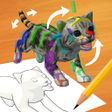
Illust Poser is an educational software application designed for Android that focuses on fine arts and character modeling. This free app serves as both a pose and animation tool, allowing users to create and manipulate 3D characters for various artistic purposes. With an intuitive interface, it enables users to dress, pose, and animate their models efficiently, making it suitable for artists and designers looking to enhance their creative workflow.

Top Recommended Alternative

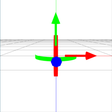
The application offers features such as file selection, where users can view details of their chosen models, including attributes like name, size, and content. Users can modify poses by adjusting angles and distances, facilitating a deeper understanding of character dynamics and movement. Overall, Illust Poser presents a versatile platform for anyone interested in 3D character design and animation.

Enlarged image for Illust Poser: The best po…
Illust Poser: The best pose app 0/4

Used Illust Poser: The best pose app for Android?


Explore More


Full Specifications

GENERAL
Release
Latest update
Version
5.2.3.4
OPERATING SYSTEMS
Platform
Android
Operating System
Android 13.0
POPULARITY
Total Downloads
338
Downloads Last Week
2

Report Software

Program available in other languages


Last Updated


Developer’s Description

Past version file storage...

Past version file storage

https://files.maruime.com/illustposer/

About this app

IllustPoser is an Android-only app that allows 3D characters to pose.

This app supports reading the following files.

pmd / pmx: Model file

vmd: Motion file

vpd: Pose file

Please select the write permission when you first install it.

If you do not allow it, you will not be able to open it.

When button is small and is hard to push

Press the "..." button in the video production mode and look at the DPI bar from the "Interface" tab to move it to the right for a larger view

How to make a dance

1. Select the model from the file selection by pressing the + button in the "model maker" mode

2. In the "animation maker" mode, press vmd add and select a motion from the file selection

3. Start playback by pressing the button in Animation maker mode

4. For the camera motion, press the part where the model name is displayed in the "model maker" mode, select "camera / lighting", and perform the operations 2 and 3

How to register accessories

1. Load accessories as models

2. Select the model where you want to put the accessories

3. Select the bones of the model

4. Register accessories with the accessory registration button

I want to change the expression of the motion and play

1. Press the "Timeline" button in "Animation production" to open the window and select frame 0.

2. Change the expression etc. in "pose creation"

3. Press the Register Pose button in Animation Production to register the current pose to frame 0.

4.Press the play button to play

When the operation is wrong

It may be fixed by deleting the setting data.

Delete "MMDAgent / save.dat" in SD or internal storage.

corresponding file

Stage file (pmd / pmx / x / lwo / zip)

Model file (pmd / pmx / x / lwo / zip)

VMD file (vmd / zip)

Music file (wav / mp3)

Pose file (vpd / zip)


Download.com
Your review for Illust Poser: The best pose app
Download.com

AI Assisted Content Disclosure

Content created and reviewed by Softonic with information obtained from marume, using AI.

CNET's editorial team was not involved in the creation of this content. Opinions, analysis and reviews were not provided by CNET.