Used iLauncher OS 27: Dou Themes for Android?
Editors’ Review
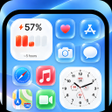
Experience iLauncher OS 27: Dou Themes from CREED HOUSE INC, an Android launcher that recreates a high-fidelity iOS-style home screen for users seeking a visual overhaul. The app replaces the home screen and organizes apps with an App Library, offers swipe-down Smart Search and custom widgets, and applies icon masking and theme switching for visual consistency. Target users include former iPhone owners and personalization enthusiasts who want a familiar iOS aesthetic on their Android device.
iLauncher reproduces core iOS home-screen elements on Android
The launcher functions as a home-screen replacement that mirrors iOS layout, dock and icon shapes while retaining Android underpinnings. It provides App Library automatic categorization, a swipe-down Smart Search, style folders and icon masking so installed apps present a uniform appearance. These components are delivered together so organization, widget placement and theme switching occur inside a single interface rather than across separate utilities.
Lightweight design keeps animations smooth without heavy battery impact
CREED HOUSE describes the launcher as optimized for smooth transitions and animations without significant battery drain, a design point meant to preserve usable runtimes on everyday devices. Compatibility extends back to Android 5.0 and later, which helps older hardware run the themed interface. Because the visual effects execute in the home app context, they do not require a continuous persistent background service that would otherwise increase CPU load.
The app runs as a home-screen replacement, not an OS modifier
iLauncher operates at the device’s visual layer and does not change the underlying operating system, so core system behavior remains intact. The launcher includes an option to hide selected applications from the home view and accepts placement of standard Android widgets alongside its own widget set. To apply it permanently, users set iLauncher as the default Home app via system Settings, Apps, Default Apps.
Casual switchers can adopt it easily, though initial setup is required
The package combines launcher, app organizer and widget tools, which suits personalization enthusiasts and former iPhone users seeking a single theming solution. New users face a short configuration task to set the app as the system default and arrange widgets and folders. That brief setup makes it accessible to non-technical users who follow the provided system steps, while allowing more granular tweaks for experienced customizers.
Pros
- High-fidelity iOS-style home screen and dock replication
- Automatic App Library categorization for organized app discovery
- Supports custom iOS-style widgets and standard Android widgets
- Designed to run on Android 5.0 and newer with smooth animations
Cons
- Ad-supported interface can interrupt the themed home-screen experience
- Does not modify underlying OS, so iOS-only system features remain unavailable
- Icon masking can obscure original app icon cues for some users
Bottom Line
A pragmatic aesthetic choice with an ad-supported trade-off
iLauncher is a practical option for Android users prioritizing an iOS-like home-screen replacement and for switchers wanting familiar visuals. The primary trade-off is an ad-supported delivery that may interrupt the themed experience for some devices. Install and configure the launcher while idle to fine-tune default settings and widget placement before regular use, then decide if the cosmetic layer fits your daily workflow.
Used iLauncher OS 27: Dou Themes for Android?











