Used Honlok for Windows?


Honlok Analysis

AI Assisted Content ·

Not written by CNET Staff.

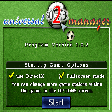
Honlok is a free sports simulation game designed for Windows users. It offers an interactive experience that allows players to engage in various sports activities, showcasing their skills and strategies. The game features intuitive controls that facilitate easy navigation and gameplay, making it accessible for both casual gamers and sports enthusiasts. Players can enjoy a range of sports challenges, enhancing their competitive spirit while having fun.

Top Recommended Alternative

With its user-friendly interface, Honlok provides an immersive environment for sports simulations. The game includes options for single-player and multiplayer modes, enabling users to compete against friends or AI opponents. Additionally, the graphics and sound effects contribute to a realistic gaming experience, making each match feel dynamic and engaging. Overall, Honlok serves as an entertaining platform for sports lovers looking to enjoy a variety of athletic challenges.

Enlarged image for Honlok
Honlok 0/1

Used Honlok for Windows?


Explore More


Full Specifications

GENERAL
Release
Latest update
Version
1.0.0
OPERATING SYSTEMS
Platform
Windows
Operating System
  • Windows 7
  • Windows Server
  • Windows ME
  • Windows Vista
  • Windows 10
  • Windows NT
  • Windows 2000
  • Windows 2003
  • Windows 8
  • Windows XP
  • Windows 98
Additional Requirements
Adobe AIR runtime 2.5
POPULARITY
Total Downloads
53
Downloads Last Week
0

Report Software

Program available in other languages


Last Updated


Developer’s Description

Shoot all opponent pieces into the hole.
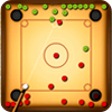
If you are an enthusiast about snooker, you will definitely love the game of Honlok from Hong Kong. Your goal in this game is to shoot all the opponent pieces into the holes of the table before your opponent does so. When the game starts, you will be given a table consists of 4 circular shooting areas and 4 holes around the corners. You and your opponent will first take turns to shoot a white piece (the cue piece) to determine the turn order. During your turn, click one of the highlighted shooting areas to place the cue piece onto it, then click to place the cue stick, and set the shooting angle and force. If your cue piece gets closer to the center of the table than your opponent, you will be allowed to move first in the game. Note that you must finish your moves within the given time limit, as indicated by the timer on the screen, or you will lose. After that, 16 red pieces and 16 green pieces will be placed on the two sides of the table, and both players will take turns to shoot the opponent pieces on the opposite side. During your turn, you can click to place the cue piece onto one of the highlighted shooting areas on your side, then set the cue to shoot the opponent pieces by using the cue piece. The player who shoots all opponent pieces into the holes of the table wins.The following are some special rules of the game: If you shoot the opponent pieces into the hole, extra shots will be granted based on the number of pieces shot into the hole, for example, if you shoot 3 pieces into the hole with one shot, you will be granted 3 extra shots.If you shoot your cue piece into the hole or out of the table, you will lose 1 shot. If you do not have any remaining shots, your opponent will be granted an extra shot. If you shoot an opponent piece out of the table, that piece will become a "small loop" and will be placed onto the center of the table. You cannot shoot the "small loop" directly with the cue piece. The cue piece must bounce off an edge to hi

Download.com
Your review for Honlok
Download.com

AI Assisted Content Disclosure

Content created and reviewed by Softonic with information obtained from Novel Games, using AI.

CNET's editorial team was not involved in the creation of this content. Opinions, analysis and reviews were not provided by CNET.