Used Homescreen Game Widgets for Android?
Editors’ Review
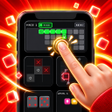
Homescreen Game Widgets places playable mini-games directly on launcher widgets, so you tap the home screen instead of opening a separate game app. Built by WidgetVibes for Android personalization, the app collects board, puzzle, word, and arcade titles into a single widget-ready package. It highlights quick, on-demand play with a library spanning many genres, multiple widget sizes, and appearance controls, aimed at casual players and retro enthusiasts who want bite-sized entertainment between tasks.
Every widget element acts as an active control for instant play
The app renders games directly in widget space, and its library exceeds thirty titles across board, puzzle, word, and arcade categories. Examples include Chess, Minesweeper, 2048, Sudoku, and Cookie Clicker. Widgets support multiple sizes (2x2, 4x2, 4x4) and the game boards are redrawn to fit each layout. The widget surface treats tiles, buttons, and keys as live targets, so taps register moves without opening a separate interface.
Appearance and feedback settings let widgets match themed home screens
Customization covers fonts, colors, borders, and grid lines, with 12 color palettes, 12 border styles, and 10 pixel fonts available. The app can pull colors from the wallpaper so tiles blend with a chosen theme, and it applies a pixel-art visual style intended for minimalist or retro setups. Integrated sound and haptic feedback include over 50 audio options and device vibration support for in-play feedback.
State persistence and platform integration target device continuity
The app relies on Android's widget framework and supports Android backup for data migration. Individual game progress is saved instantly and remains after device reboots, so sessions resume without setup. Because the games run as widgets, they avoid separate loading screens and use the standard widget lifecycle for persistence and migration rather than a background app process.
Pros
- Adjustable bot AI with Easy, Fair, and Ruthless difficulty
- Local two-player mode for same-device PvP
- Multiple widget sizes (2x2, 4x2, 4x4) with redrawn boards
- Persistent game state that survives reboots and supports Android backup
Cons
- Stability can vary by launcher, according to user reports
- Pixel-art aesthetic may not fit non-retro home-screen themes
Bottom Line
A playful, convenient choice for quick home-screen gaming, with launcher caveats
Homescreen Game Widgets suits casual players who want immediate, short-play sessions: it includes adjustable bot AI for solo matches and local two-player mode for same-device competition. User feedback points out that stability can vary depending on the launcher used, so users who prioritize a rock-solid home-screen should verify compatibility with their chosen launcher before dedicating primary widget space.
Used Homescreen Game Widgets for Android?











