Used Hohner-ADG Button Accordion for Android?


Hohner-ADG Button Accordion Analysis

AI Assisted Content ·

Not written by CNET Staff.

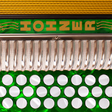
Hohner-ADG Button Accordion is a full-featured multimedia application designed for Android devices. This program serves as a virtual button accordion, allowing users to experience the unique sound and playability of the Hohner ADG model. It features an intuitive interface that mimics the layout of a traditional accordion, making it accessible for both beginners and experienced musicians. Users can explore a variety of musical styles and enjoy realistic sound quality that captures the essence of playing an actual instrument.

Top Recommended Alternative

The application includes several functionalities such as customizable settings for tuning and volume, as well as the ability to record performances. Users can also access a library of songs and tutorials to enhance their playing skills. Hohner-ADG Button Accordion is compatible with most Android devices, ensuring a wide reach for accordion enthusiasts. Its design emphasizes ease of use, making it a practical choice for musicians looking to practice or perform on the go.

Enlarged image for Hohner-ADG Button Accordi…
Hohner-ADG Button Accordion 0/3

Used Hohner-ADG Button Accordion for Android?


Explore More


Full Specifications

GENERAL
Release
Latest update
Version
1.3
OPERATING SYSTEMS
Platform
Android
Additional Requirements
None
POPULARITY
Total Downloads
173
Downloads Last Week
0

Report Software

Program available in other languages


Last Updated


Developer’s Description

Tradlessons delivers the absolute best sounding Accordion apps for Android.

Tradlessons delivers the absolute best sounding Accordion apps for Android!

Hohner announces the introduction of a series of revolutionary new accordion apps for Android: The Hohner SqueezeBox Button Accordions.

Modeled on the layout of Hohner's iconic Corona Classic diatonic accordion,

these intuitive virtual accordion apps feature a super responsive, three-row

fingerboard that plays and sounds like the traditional instrument.

Reviewers, please read the HARDWARE LIMITATIONS below before posting.

The app is optimized for devices with a screen size of 7" or higher but is still quite playable on smaller screens. Your playing experience may vary on each device, especially concerning multitouch functionality and speed. Please take advantage of the Google Play Store 15-minute trial period to see if the app performs well on your specific device: : http://support.google.com/googleplay/bin/answer.py?hl=en&answer=134336.

The Hohner SqueezeBox apps allow musicians to practice chord combinations,

scales, and songs on-the-go in five different key combinations and colors.

Headphones can be used for private practice, or the audio output of the virtual

accordion can be amplified by plugging into computer speakers, or other sound

enhancing devices.

Players may select to have the note names displayed on the large white pearloid

buttons. With the touch of a button, the tonality can be changed from "wet

tuning" giving an animated sound, to "dry tuning".

Touch anywhere above the button board in the bellows or grill to toggle between push and pull of the bellows.

This app is ideal for the beginning student or professional musician who needs

a simple carry-on companion to compliment his or her actual accordion. While

not meant to be a replacement for a real accordion, the app is a convenient and

easy tool for practicing, learning, or teaching.

ADG is commonly used for Tex-Mex, Conjunto, Norteno, Zydeco, Cajun, and

Vallenato.

Be sure to check out the "Real Players, Real Music" videos on the app website.

Want to play in all the keys? Download all five Hohner SqueezeBox apps:

Hohner-GCF, Hohner-FBbEb, Hohner-EAD, Hohner-ADG, and Hohner-BbEbAb.

Hardware Limitations:

Please read before purchase of this app if you have a Samsung Galaxy S2 or S3 phone.

Due to the touchscreen hardware capabilities on some Android phones, specifically, but not limited to the Samsung Galaxy S2 and S3, it is not possible to touch two buttons directly next to each other at the same time along a row or between rows and have them both make sound at the same time.

Because the touchscreen hardware does not send us the touch events for adjacent buttons on the phones, this is not something we can fix in the software.

There is no problem on the phones for playing single note melody lines or chords not on directly adjacent buttons.

This limitation is not present for 7" or larger screen tablets.

For the reviewers posting negative reviews, the app is doing the best it can on your device and version of Android. The app is working great on many newer tablets. I'm sorry, but that's the truth. Either upgrade your Android version, get a newer/faster device, or buy an iPad if you want the best possible performance. Rather than exclude anyone from trying the app, which we could have done, we'd rather give you a chance to try it on your device, and if it doesn't perform up to your needs, please just get your money back. This is the reality of musical instrument apps on Android.


Download.com
Your review for Hohner-ADG Button Accordion
Download.com

AI Assisted Content Disclosure

Content created and reviewed by Softonic with information obtained from Tradlessons, using AI.

CNET's editorial team was not involved in the creation of this content. Opinions, analysis and reviews were not provided by CNET.