Used HD Hidden/Spy Digital Video Camera with Auto Continous Shoot Option for iOS?


HD Hidden/Spy Digital Video Camera with Auto Continous Shoot Option Analysis

AI Assisted Content ·

Not written by CNET Staff.

HD Hidden/Spy Digital Video Camera with Auto Continuous Shoot Option is a full-featured application designed for users interested in discreet video recording. This app allows users to capture high-definition video using their iPhone, providing a range of functionalities tailored for various recording needs. Key features include an auto continuous shoot option, which enables seamless video capture without manual intervention, making it suitable for various scenarios where discreet recording is essential.

The application is categorized under Digital Photo Tools, emphasizing its focus on multimedia capabilities. Users can expect an intuitive interface that simplifies the process of recording and managing video files. The app's design prioritizes functionality, ensuring that users can easily access its features while maintaining a low profile during use. Overall, this software serves as a practical tool for those looking to utilize their iPhone for hidden or spy video recording.

Enlarged image for HD Hidden/Spy Digital Vid…
HD Hidden/Spy Digital Video Camera with Auto Continous Shoot Option 0/1

Used HD Hidden/Spy Digital Video Camera with Auto Continous Shoot Option for iOS?


Explore More


Full Specifications

GENERAL
Release
Latest update
Version
V3.4
OPERATING SYSTEMS
Platform
iOS
Operating System
iOS 12.1.2
Additional Requirements
Compatible with iPhone 3Gs, iPhone 4. iTunes account required.
POPULARITY
Total Downloads
129
Downloads Last Week
0

Report Software

Last Updated


Developer’s Description

This application like two different hidden camera application in one application. You could easily record HD video or upto 8 megapixel photo shoot...
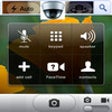
This application like two different hidden camera application in one application. You could easily record HD video or upto 8 megapixel photo shoot with iPhone 4s,iPhone 5.Also, You could set a pin code to protect private image and video files. (So, No one can reach them unless they enter correct pin)First, Hidden camera behind phone call application which is working like phone call application.Button functions in phone call mode :Address Book : To select phone number by using address book button,* : Star button to select Rear / Front camera,0 : Button to select Video / Photo mode,1 : One button to take one photo shoot if photo mode already selected,2 : Two button to take two photo shoots if photo mode already selected,3 : Three button to take unlimited photo shoots until you stop by clicking to # button if photo mode already selected,Call : To start video recording / photo shoot. (When you start video recording you will see person's name and running talking time on the phone screen) ,Off : Button to change flash mode,T : Button to change transparency level.Phone view more realistic now. (When your phone close to your face , iPhone's screen will be dark like original phone call. ) It's a good idea is not it !Other mode is working Internet Browser with one touch photo shoot or video recording.So, you could capture video or pictures without other people around you recognising what you are doing on your screen !All screens have Transparency/Flash Control/Front-Rear Camera buttons.So, if you need to see what you are recording just need to touch "T" button you will see a bit what you are recording than touch "T" button again than you will see a bit more than touch "T" button again than video invisible on the screen again.Screens have flash mode button which is default Off.Internet browser screen has front/rear camera selector button on the Right side of the screen and default setting is rear camera.You could save your records into Album, Hidden Camera folder, or both of them in once.Also, You could send your photo attached with e-mail. If you need to delete any file just swipe your finger on the filename in the files list than you will see Delete button on the right side of the filename.Please , Do not forget to put the silent switch on otherwise when you start recording or shooting photo, people could hear a noise at the beginning.Note: Please be aware, end user will be responsible for any inappropriate usage of this application which may violate public privacy law.

Download.com
Your review for HD Hidden/Spy Digital Video Camera with Auto Continous Shoot Option
Download.com

AI Assisted Content Disclosure

Content created and reviewed by Softonic with information obtained from Harmony Software UK, using AI.

CNET's editorial team was not involved in the creation of this content. Opinions, analysis and reviews were not provided by CNET.