Used GPS Area Measurement Calculator for Android?


GPS Area Measurement Calculator Analysis

AI Assisted Content ·

Not written by CNET Staff.

GPS Area Measurement Calculator is a free Android application designed to assist users in accurately measuring land areas for various purposes. This utility is particularly beneficial for construction projects, renovations, and land assessments. It allows users to measure land using points on a map, select desired areas, and convert measurements between different units, making it versatile for different user needs.

Top Recommended Alternative

The application features an intuitive interface that simplifies the process of area calculation. Users can easily navigate the map to pinpoint specific locations and determine the area. This makes it an essential tool for architects, engineers, and anyone involved in land management, ensuring precise measurements without the need for complex equipment.

Enlarged image for GPS Area Measurement Calc…
GPS Area Measurement Calculator 0/4

Used GPS Area Measurement Calculator for Android?


Explore More


Full Specifications

GENERAL
Release
Latest update
Version
2.27
OPERATING SYSTEMS
Platform
Android
Operating System
Android 13.0
POPULARITY
Total Downloads
10
Downloads Last Week
0

Report Software

Program available in other languages


Last Updated


Developer’s Description

GPS Area Measurement Calculator helps to calculate the GPS area or GPS distance with best accuracy.

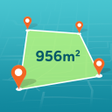
GPS Area Measurement Calculator helps to calculate the GPS area or GPS distance with best accuracy. Place your points on the map and then calculate area between the points. It also measures the distance with great accuracy. You can choose from a variety of units including meters, feet and miles. After dropping the markers on the map it calculates the total land measurement and shows the final calculation.

With GPS Area Measurement Calculator you may also find out the distance between the multiple points on map. If you need to calculate area like area of country or city you can easily calculate area by using this GPS Area Measurement. Calculating paddock measurement also goes very easy now with this GPS Area Measurement Calculator.

This helps as a smart tool for measuring areas on the map. Simply place your points on the map and then calculate area between all the points. You can also calculate total Area of ant Route. This GPS Area Measurement Calculator is the best option to measure all type of land like city, agriculture fields, constructed or unconstructed, forests, etc, you can also calculate the total area of any route.

GPS Area Measurement Calculator provides the facility to find the route between two points on map. Search your start point and destination points then select your points and just make a click on navigation icon and you may able to find the shortest route between two destination. You can find the distance in the desired measurements like square feet, inches, etc

In GPS Area Measurement Calculator you can change the number of points to calculate the area, you may select three points, four points and more to check the GPS Area and can simply erase the measurement with a single tap to move to the next calclation of GPS Area.

App Features:

* GPS Area Measurement Calculator helps as Distance and Area measurement app

* Tap on the map and calculate the area

* Easy for map field measurement

* Customize the unit of GPS Area

* Choose from the units as squarefeet, metres, inches etc

* Just a single tap to erase the current measurement and calculate new one

* You may select three, four or more points to calculate the GPS Area

* You can saved the points in the history of GPS Area or the distance calculated.

Disclaimer: Please note that our app GPS Area Measurement Calculator will never upload any of user personal data and developed only for information purpose.


Download.com
Your review for GPS Area Measurement Calculator
Download.com

AI Assisted Content Disclosure

Content created and reviewed by Softonic with information obtained from RamsonTech, using AI.

CNET's editorial team was not involved in the creation of this content. Opinions, analysis and reviews were not provided by CNET.