Used GhanaKey - Keyboard for Ghana for Android?


GhanaKey - Keyboard for Ghana Analysis

AI Assisted Content ·

Not written by CNET Staff.

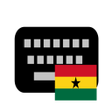
GhanaKey is a free keyboard application designed specifically for Android users in Ghana. It supports the country's diverse linguistic landscape, allowing users to type in various native languages, which is essential for communication among speakers of these languages. Unlike many standard keyboards that primarily support English, GhanaKey addresses the unique needs of its users by providing options for multiple local languages, enhancing accessibility and user experience.

Top Recommended Alternative

The application is user-friendly and easy to install, making it accessible for a wide range of users, regardless of their technical proficiency. Features include customizable keyboard layouts and the ability to switch between languages seamlessly. This makes it an excellent tool for those who require a keyboard that reflects their cultural and linguistic identity, ensuring everyone can communicate effectively in their preferred language.

Enlarged image for GhanaKey - Keyboard for G…
GhanaKey - Keyboard for Ghana 0/4

Used GhanaKey - Keyboard for Ghana for Android?


Explore More


Full Specifications

GENERAL
Release
Latest update
Version
5.8
OPERATING SYSTEMS
Platform
Android
Operating System
Android 15.0
POPULARITY
Total Downloads
207
Downloads Last Week
2

Report Software

Program available in other languages


Last Updated


Developer’s Description

This is a keyboard for the written languages in Ghana. There are 11 government assisted languages in Ghana.

This is a keyboard for the written languages in Ghana. There are 11 government assisted languages in Ghana.

Features:

You can select different keyboard themes in Ghanakey :

https://www.youtube.com/watch?v=U4xOWIAohuo

You can use different skin color variations of people emoji in Ghanakey See it here how:

https://youtu.be/Ntig2Uw9efc

You can change the keyboard style to arrange all the keys to one side (left or right) if you often type with one thumb only. See the video how to do it:

https://youtu.be/ohaK-DVGRqk

You can change the keyboard's height in settings. Go to settings/keyboard themes then tap the 3 dots on the upper right and select tweaks. On the following page select keys height factor in portrait mode or landscape mode. Give a smaller number than 1 for example 0.9- Word suggestion

You can adjust the aggressiveness of the suggestions in settings.

- Next word prediction

- Editable abbreviation dictionary

You can add your often used sentences with abbreviations so you don't have to type the whole sentence again.

- Suggestions

It learns your words and will offer it after some time.

- Guided setup

- Smiley keyboard

- Permissions

Read contacts - to suggest the contact names while typing,

Read-write SD card - to save/restore your dictionary

- On the keyboard there are more Ghanaian characters

when you long press a key

- Strech gesture for easier two thumb writing (see the video)

- This app is based on AnySoftKeyboard

Known Issue

==========

- Most of the Ghanaian characters including capital letters are not supported by Android 4.2. It is fixed with the release of Android 4.3 and later.


Download.com
Your review for GhanaKey - Keyboard for Ghana
Download.com

AI Assisted Content Disclosure

Content created and reviewed by Softonic with information obtained from Ananse Media Ltd. Finland, using AI.

CNET's editorial team was not involved in the creation of this content. Opinions, analysis and reviews were not provided by CNET.