Used GameGuy for Android?
Editors’ Review
GameGuy from Park Productions is a retro-inspired 2D platformer that recreates handheld 8-bit play on Android devices. Players traverse short stage-based levels where running, jumping, and enemy encounters form the core loop, while pickups support simple progression. The presentation deliberately mimics a low-resolution handheld screen, and the design favors quick sessions on mobile devices for casual play. Fans of classic platformers and handheld nostalgia are the primary audience.
Top Recommended Alternative

What kind of game is this?
The game is a stage-based 2D platformer modeled on classic handheld titles. Its campaign features a defined sequence of levels and boss encounters, with the player's actions centered on timing jumps, avoiding hazards, and dispatching foes. Collectibles such as coins and gold bars serve as in-game currency, giving short-term goals that reward exploration. The structure emphasizes compact runs rather than extended, open-ended progression.
How do modes and movement change the experience?
The app offers alternate challenge settings that modify tempo and risk, and movement is affected by a small suite of power-ups. Jump pads and rockets open vertical routes and permit shortcuts, while enemy variety, including spiders, skeletons, ghosts and bats, creates distinct movement puzzles. These mechanics push precision platforming and timed boosts, so success leans on skillful execution rather than sandbox experimentation.
What does the game look like on a phone?
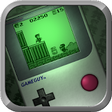
The standout visual choice is a faithful dot-matrix presentation with a toggle between green and monochrome screens, intentionally evoking classic handheld displays. Pixel sprites, a deliberately limited palette, and grid-aligned stage geometry reinforce that aesthetic. Controls use a dedicated on-screen d-pad and buttons designed for touch devices, and the interface prioritizes clarity at low resolution. The visual identity is the primary atmospheric driver.
Is it easy to start and replay?
Onboarding is approachable thanks to simple touch controls and short stage design, which lower the barrier for quick sessions. Replayability derives from timing-focused runs and alternate challenge settings rather than procedurally generated content. Collectibles and currency provide immediate goals between runs. The app lists compatibility back to Android 2.3.4, which supports play on many older or lower-end devices.
Pros
- Toggleable green and monochrome dot-matrix display
- Simple on-screen d-pad and button controls for touch play
- Power-ups like jump pads and rockets add vertical route options
- Hard and Speed Run modes increase optional challenge and replayability
Cons
- Fixed 21-level campaign limits long-term variety
- Two-tone presentation restricts visual color variety
- No multiplayer or cooperative modes mentioned
Bottom Line
Best for short-session platforming and handheld nostalgia
GameGuy is an appealing pick for players who enjoy compact, challenge-focused platform runs presented with a vintage aesthetic. Its emphasis on bite-sized stages and skillful encounters makes it ideal for commuters and fans of classic handheld feel, while those seeking sprawling progression or extensive content variety may find the scope intentionally narrow. Consider it a tidy retro distraction for short play sessions.