Used GA Panel for Android?


GA Panel Analysis

AI Assisted Content ·

Not written by CNET Staff.

GA Panel is an innovative application designed for pilots and aviation enthusiasts, offering a user-friendly interface for controlling general aviation aircraft. This free Android app enhances the experience of managing flights by allowing users to connect to various flight simulators. With its intuitive design, GA Panel is tailored to meet the needs of both novice and experienced users, providing a streamlined method for aircraft operation. The app supports multiple aircraft models and offers several operational modes, ensuring versatility in its usage.

The application features three distinct modes for aircraft control, catering to different user preferences. The first mode allows direct control from the device, while the second mode enables the use of an additional device for enhanced control. This flexibility makes GA Panel suitable for various flight simulation scenarios. Overall, GA Panel stands out as a valuable tool for those involved in general aviation, providing comprehensive control and an engaging user experience.

Enlarged image for GA Panel
GA Panel 0/3

Used GA Panel for Android?


Explore More


Full Specifications

GENERAL
Release
Latest update
Version
1.9.7-2026-03-29
OPERATING SYSTEMS
Platform
Android
Operating System
Android 15.0
POPULARITY
Total Downloads
12
Downloads Last Week
0

Report Software

Program available in other languages


Last Updated


Developer’s Description

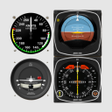
Interactive general aviation cockpits of aircraft and helicopter to connect with Microsoft Flight Simulator X, Prepar3D and X-Plane 10.

Interactive general aviation cockpits of aircraft and helicopter to connect with Microsoft Flight Simulator X, Prepar3D and X-Plane 10. All operations are done with a single finger and all movements smoothen. The app let you free the main screen from instruments and fully enjoy the scenery.

Models currently available:

- Cessna C172 and C182

- Beechcraft Baron 58

- North American P-51D Mustang

- Bell 206B JetRanger

- Robinson R22 Beta

Note that the app does nothing by itself, it must be connected to the flight simulator via WiFi, but their behavior can be tested by clicking on top left corner which generates random data.

FSUIPC and PeixConnect (free applications) must be installed on the simulator computer for use with FSX / P3D, which they make interface between computer and Android devices.

For detailed information on the steps for operation, and download the required applications please visit the Android section at website: http://www.peixsoft.com

It is designed for high resolution 4K, to connecting to monitors and HDTVs without loss of quality, if used in stand-alone devices such as Hardkernel ODROID.

For highest performance and battery saving you can hide the photorealistic image and display only the instruments, with solid color or black background.

NOTE: Flaps lever is only as a visual reference, it does not move the flaps in the simulator.

In free mode the application works completely within 10 minutes but a suggestion screen appears at the end of trial with a button to purchase the unlimited license.

If you have any suggestions or detect a fail please send me an email and I will fix it as soon as possible.


Download.com
Your review for GA Panel
Download.com

AI Assisted Content Disclosure

Content created and reviewed by Softonic with information obtained from Peix Software, using AI.

CNET's editorial team was not involved in the creation of this content. Opinions, analysis and reviews were not provided by CNET.