
Used Fotor - Color Splash Studio for Windows 8 for Windows?
Fotor - Color Splash Studio for Windows 8 Analysis
AI Assisted Content ·
Not written by CNET Staff.
Fotor - Color Splash Studio for Windows 8 is a multimedia application designed to enhance images through color splash effects. This free software allows users to selectively colorize parts of an image while keeping the rest in black and white, creating striking visual contrasts. The intuitive interface is user-friendly, making it accessible for both beginners and experienced photo editors. Features include a variety of brush sizes, undo and redo options, and the ability to save images in multiple formats.
Top Recommended Alternative
In addition to color splash effects, Fotor offers basic photo editing tools such as cropping, resizing, and adjusting brightness and contrast. Users can also apply filters and effects to further enhance their images. This application is compatible with Windows 8, making it a suitable choice for users looking to add creative flair to their photos without needing advanced editing skills. The straightforward design allows for quick learning and efficient usage.
Used Fotor - Color Splash Studio for Windows 8 for Windows?
Explore More

Sponsored
Adobe Stock
Trial version
LuxRender (64-bit)
Free
Photo Editor for Windows 8
Free
3D Sphere Pro
Trial version
PDF995 Printer Driver
FreejPDFEditor Java PDF Editor Swing API
Trial version
Pholor Express
FreeAutodesk Maya Entertainment Creation Suite Premium
Trial versionPDF Files Text Extractor
Trial versionImage Converter pro
Trial version
LuxRender (32-bit)
Free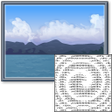
Image To ASCII Image Converter Software
Trial version











