Used File Commander for Windows?


Editors’ Review

Download.com staff
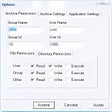
File Commander automates repetitive file operations like moving, copying, and deleting. It simplifies disk organization by allowing users to create custom commands through an intuitive wizard, requiring no scripting knowledge.
Enlarged image for File Commander
File Commander 0/1
  • Pros

    • Automates repetitive file management tasks.
    • Supports moving, copying, and deleting files.
    • Includes a Wizard for command creation.
    • Provides easy step-by-step instructions.
    • Requires no scripts or technical jargon.
  • Cons

    No Cons available


Used File Commander for Windows?


Explore More


Full Specifications

GENERAL
Release
Latest update
Version
2.0
OPERATING SYSTEMS
Platform
Windows
Operating System
  • Windows 10
  • Windows XP
  • Windows Vista
  • Windows 7
Additional Requirements
None
POPULARITY
Total Downloads
2,407
Downloads Last Week
0

Report Software

Program available in other languages


Last Updated


Developer’s Description

Save time when organizing the files on your disk.
File Commander helps you save time when organizing the files on your disk. If you find that you are moving, copying, or deleting the same files over and over, you can use File Commander to make a simple command that does it for you. When you run the command, your files will be moved, copied, or deleted just as if you would done it yourself. File Commander includes a Wizard for creating new commands, with easy step-by-step instructions. There are no scripts to write and no technical jargon to understand.

Download.com
Your review for File Commander