Used Equalizer Music Player Pro for Android?


Equalizer Music Player Pro Analysis

AI Assisted Content ·

Not written by CNET Staff.

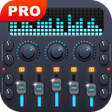
Equalizer Music Player Pro enhances audio experiences on Android devices with its advanced features. This multimedia application allows users to create customized audio profiles, adjusting various sound aspects such as quality, volume, and pitch to suit individual preferences. The built-in equalizer is a standout feature, offering multiple presets and manual controls to refine audio output according to user specifications. Additionally, the app serves as a music player, enabling playback of favorite tracks and videos, while also incorporating an audio recording function for capturing live sound directly from the device.

The user-friendly interface facilitates easy navigation through its extensive features, making it accessible for both casual listeners and audiophiles. The ability to save personalized audio settings ensures a tailored listening experience, adapting to different environments and genres. With its robust functionality, Equalizer Music Player Pro provides a comprehensive solution for audio enhancement, catering to a wide range of multimedia needs.

Enlarged image for Equalizer Music Player Pr…
Equalizer Music Player Pro 0/4

Used Equalizer Music Player Pro for Android?


Explore More


Full Specifications

GENERAL
Release
Latest update
Version
4.3.7
OPERATING SYSTEMS
Platform
Android
Operating System
Android 13.0
POPULARITY
Total Downloads
144
Downloads Last Week
1

Report Software

Program available in other languages


Last Updated


Developer’s Description

This is the profesional version of Equalizer Music Player with more features and without ad.

This is the profesional version of Equalizer Music Player with more features and without ad.

Equalizer Music player is a music and video player which with Equalizer, Bass Booster, Virtualizer and Visualizer.Improve sound quality on your Android device.

Make your music and video sounds like never before.

Support folder player.

Equalizer is a volume slider with live music stereo led VU meter and five band equalizer with Bass Boost and Virtualizer effects.

Intuitive player, uses simple and innovative controls. The most professional player designed for music and video enthusiasts!

Using the professional audio and video decoding technology, it will play the music and video perfectly and realise high-fidelity playback. Besides, the most professional equalizer controls will help you manually adjust your own music exclusively.

Use with headphones for best results.

Support formats:

MP3, MP4, MP2, MP1, OGG, WAV, AIFF, MIDI, AAC, 3GP, XM, IT, S3M, MOD, MTM, UMX, MO3, MP4, M4A, OTA

Key Features:

* Browse and play your music by artists, albums, songs, playlists, folder

* Browse and play all videos with equalizer

* Media volume control

* Five band equalizer

* Bass Boost effect

* 3D Surround Sound

* Music surround left and right

* Turn off and turn on equalizer effect

* Shuffle/repeat

* Edit playinglist

* Delete Song from sdcard

* One simple home screen WIDGET (4x1)

* SHAKE IT feature:give your phone a shake to play next song.

* Headset Support, Support one button or multiple buttons headsets. Leave your phones in the pocket.

* Lock Screen CONTROLS support: display time, day, title and artist, play/pause, next, previous, unlock CONTROLS in lock screen.

* Notification Status support: display album artwork, title and artist, play/pause, next, previous CONTROLS in notification status.

* 17 types of equalizer presets for your choice (Normal, Classic, Dance, Flat, Folk, Heavy, Hip hop, Jazz, Pop, Rock, R&B, Latin, Acoustic, Piano, Electronic, Vocal Booster, Deep). Or you can manually adjust the equalizer.

* Share this player with your friends via facebook,e-mail,SMS,and so on


Download.com
Your review for Equalizer Music Player Pro
Download.com

AI Assisted Content Disclosure

Content created and reviewed by Softonic with information obtained from Nimblesoft LLC, using AI.

CNET's editorial team was not involved in the creation of this content. Opinions, analysis and reviews were not provided by CNET.