Used Engineering Calsi - Write view for Android?
Editors’ Review
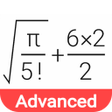
Engineering Calsi - Write view renders complex mathematical expressions in textbook form using a natural "Write view" display, so fractions, exponents, and integrals appear visually as entered. Chahal LLC's Android education-reference tool targets engineering students, science majors, and industrial professionals. It pairs high-precision numeric capability with symbolic computation and 3D graphing, plus a large units-and-constants library. The app suits learners who need on-device CAS-style problem solving during coursework and technical checks. The interface offers customizable settings and haptic feedback for mobile use.
Who can use the app to complete textbook-style problems?
The app puts symbolic derivatives and integrals alongside matrix and vector operations so students can set up and solve linear systems, quadratic and cubic equations, and polynomial root problems. Complex arithmetic is supported, including conversion between rectangular and polar forms and complex root calculation. A built-in equation solver and the matrix suite let learners verify analytic steps and run multivariable algebra directly on a mobile device.
How effective is it for precise numerical work and modelling?
The app performs high-precision numeric calculations with a significand up to 100 digits, which helps when checking delicate rounding or iterative solutions. It includes statistical analysis and regression modelling tools alongside 3D function and equation graphing for visual inspection of results. Support for binary, octal, and hexadecimal numeral systems lets learners switch bases when tackling computer engineering or digital logic exercises.
Is it suitable for classroom use and coursework?
The app runs on Android and is distributed under a Free license, so students can use personal devices in lab or study sessions. The developer maintains updates to follow recent Android releases and focuses on technical calculation utilities. Because of its depth, the app assumes a solid mathematics background, making it better suited to undergraduate-and-above courses and professional verification than to early primary instruction.
Can the content adapt to different STEM subjects?
The app ships with a large library of physical constants and about 250 unit conversions, supporting mechanics, thermodynamics, and electromagnetism tasks without external lookups. Its equation solver and combined symbolic-numeric workflow cover optics, control theory, and other applied topics so users avoid switching apps. Compared with handheld CAS devices, the app bundles symbolic and numeric workflows inside a single mobile interface for on-the-go technical work.
Pros
- Natural "Write view" displays expressions as they appear in textbooks
- Supports up to 100-digit significand for high-precision calculations
- Includes symbolic calculus, matrix algebra, and an equation solver
- Library of 90+ physical constants and about 250 unit conversions
Cons
- Large installation size, reported around 1.05 GB on some devices
- Feature depth assumes higher-level math knowledge, steeper for beginners
Bottom Line
Strong mobile CAS for advanced learners, but check device storage first
The app suits advanced STEM students and professionals who need a mobile CAS for coursework and technical verification. Expect a substantial install footprint, around 1.05 GB on some devices, so check available storage before installing. Also verify that device thermal and memory behaviour doesn't interrupt longer numerical sessions. Given its scope and update cadence, the app favors users already comfortable with higher-level mathematics.
Used Engineering Calsi - Write view for Android?