Used Endoscope Camera for Android?


Endoscope Camera Analysis

AI Assisted Content ·

Not written by CNET Staff.

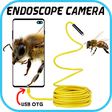
The Endoscope Camera app for Android serves as a practical utility for connecting and operating external cameras, specifically USB endoscope models. It allows users to capture images and record videos directly on their devices, leveraging USB OTG compatibility to facilitate seamless communication between the camera and the Android phone. Users can easily verify compatibility through an integrated USB OTG checker and ensure their external cameras are UVC-compatible for optimal performance. The app includes a user-friendly interface that enables easy access to camera functions and a gallery for managing captured media.

Top Recommended Alternative

This application caters to a variety of use cases, including inspection of blocked drains and general surveillance, eliminating the need for specialized plumbing cameras. The versatility extends to compatibility with other external cameras, such as webcams, enhancing its utility across different scenarios. The app also features a support mechanism for troubleshooting, ensuring users can receive assistance if needed.

Enlarged image for Endoscope Camera
Endoscope Camera 0/3

Used Endoscope Camera for Android?


Explore More


Full Specifications

GENERAL
Release
Latest update
Version
1.1.0
OPERATING SYSTEMS
Platform
Android
Additional Requirements
Requires Android 5.0 and up
POPULARITY
Total Downloads
362
Downloads Last Week
2

Report Software

Program available in other languages


Last Updated


Developer’s Description

USB endoscope camera for android app to connect with endoscope cam or any device like a USB camera or Borescope camera depstech, sewer inspection.

USB endoscope camera for android app to connect with endoscope cam or any device like a USB camera or Borescope camera depstech, sewer inspection camera there is many devices that use external cam like inspection camera sewer.

* How does it work endoscope camera app?

the endoscope app for android works like an otg view. open your external Borescope by USB otg or type-c and read it the endoscope app need to use micro just to record video with sounds and need to use the gallery to write and read it pictures and videos

check that before using this endoscope app:

A- if your device supports USB otg technology after open the app, choose in the setting USB otg checker to check if your device support otg or not

B- if Your USB camera is UVC-compatible

How to use this app: endoscope camera

first, open the app and enter the USB of your endoscope camera in your phone click on the camera icon click on ok now you can see the endoscope camera is working. take photo and record video if you want to see his pictures and videos go back to the first interface and click on the gallery now you can see all your pictures Slide your finger to the left you can see now all videos click on anyone and choose your player click on always and watch your video. now how to delete pic and video on the endoscope app camera inside the gallery click long click on picture or video you can see the deletion icon that's all.

In what you can use the endoscope camera device:

the Borescope or endoscope has many things to do like in blocked drains you can see what inside You will not need camera drain unblocker or plumbing cam repair anymore. it works like a sewer camera Borescope or you can use it with any external camera like a webcam. if you see any problem please contact us any time to help you

enjoy it


Download.com
Your review for Endoscope Camera
Download.com

AI Assisted Content Disclosure

Content created and reviewed by Softonic with information obtained from endoscope usb camera otg view, using AI.

CNET's editorial team was not involved in the creation of this content. Opinions, analysis and reviews were not provided by CNET.