Used endoscope camera usb for android for Android?


endoscope camera usb for android Analysis

AI Assisted Content ·

Not written by CNET Staff.

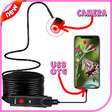
Endoscope Camera USB for Android is a utility application designed to work with USB endoscope cameras, allowing users to inspect hard-to-reach areas such as drain pipes. This free program simplifies the process of viewing internal structures through a direct USB connection, making it an effective choice for those needing to diagnose plumbing issues or conduct inspections. The application is designed to operate seamlessly with compatible devices, ensuring a straightforward user experience without the need for additional hardware or software.

Top Recommended Alternative

To use the application, users must first download and install it on their Android device. Upon installation, connecting the endoscope camera via USB is necessary, after which the app can be launched. Users can easily initiate the camera view by selecting the camera icon within the app. This intuitive process allows for immediate inspection, making it an accessible tool for both professionals and DIY enthusiasts.

Enlarged image for endoscope camera usb for …
endoscope camera usb for android 0/3

Used endoscope camera usb for android for Android?


Explore More


Full Specifications

GENERAL
Release
Latest update
Version
9.2.9
OPERATING SYSTEMS
Platform
Android
Additional Requirements
Requires Android 5.0 and up
POPULARITY
Total Downloads
338
Downloads Last Week
1

Report Software

Program available in other languages


Last Updated


Developer’s Description

endoscope camera usb for android an app to connect with endoscope camera, webcam test or any device like USB camera or Borescope camera there are.

endoscope camera usb for android an app to connect with endoscope camera, webcam test or any device like USB camera or Borescope camera there are many devices use external cam like inspection camera sewer.

* How to use this app: Endoscope Camera app

open the app and enter the USB of his endoscope camera Borescope in your phone click on the camera icon click on ok now you can see the endoscope camera is working. take photo and record video if you want to see his pictures and videos go back to the first interface and click on the gallery now you can see all your pictures Slide your finger to the left you can see now all videos click on anyone and choose your player click on always and watch your video. now how to delete pic and video on the endoscope app camera inside the gallery click long click on picture or video you can see the deletion icon that's all

* check that before using this endoscope app sewer inspection camera:

1- if Your USB camera is UVC-compatible

2- if your device supports USB otg technology you can use many apps I recommend it this app USB otg checker

How does it work endoscope app?

the endoscope app for android - endoscope camera open your external Borescope by USB otg and read it the endoscope app need to use micro just to record video with sounds and need to use the gallery to write and read it pictures and videos

In what you can use the endoscope camera device:

the Borescope or endoscope has many things to do like in blocked drains you can see what inside You will not need camera drain unblocker or plumbing repair anymore. it works like a sewer camera

thank you for using our endoscope camera


Download.com
Your review for endoscope camera usb for android
Download.com

AI Assisted Content Disclosure

Content created and reviewed by Softonic with information obtained from endoscope camera usb, using AI.

CNET's editorial team was not involved in the creation of this content. Opinions, analysis and reviews were not provided by CNET.