Used DriveMate KingKong for Android?


DriveMate KingKong Analysis

AI Assisted Content ·

Not written by CNET Staff.

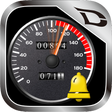
DriveMate KingKong is a free Android application designed for speed and distance monitoring during various activities such as driving, cycling, jogging, or walking. Utilizing GPS technology, it provides real-time speed readings, distance traveled, and features a retro speedometer design reminiscent of classic Japanese cars. The app includes a speed warning chime that alerts users when they exceed a predetermined speed limit, enhancing safety during travel. Users can select from various speed limits and customize the chime, which adds a personal touch to the experience.

Top Recommended Alternative

In addition to its core speed monitoring functions, DriveMate KingKong offers a distance meter that tracks the total distance covered while the app is active. The interface is intuitive, featuring a satellite icon that indicates GPS signal strength, ensuring reliable performance. While the speedometer supports speeds ranging from 0 to 180 km/h, the warning lamp activates under specific conditions, providing an additional layer of user awareness. This combination of features makes DriveMate KingKong a practical tool for those seeking to maintain awareness of their speed and distance.

Enlarged image for DriveMate KingKong
DriveMate KingKong 0/4

Used DriveMate KingKong for Android?


Explore More


Full Specifications

GENERAL
Release
Latest update
Version
3.5.0
OPERATING SYSTEMS
Platform
Android
Operating System
Android 13.0
POPULARITY
Total Downloads
46
Downloads Last Week
0

Report Software

Program available in other languages


Last Updated


Developer’s Description

DriveMate KingKong is a simple speedometer application software that uses the GPS function.

DriveMate KingKong is a simple speedometer application software that uses the GPS function. This speedometer software features a retro design and has a warning chime function for over speeding. It sounds an alarm chime* when the vehicle exceeds the set speed limit.

*The application software is named after the "dingdong" alarm sound (sounds like "kin-kon" or "king-kong" when expressed in Japanese).

What is the speed warning chime?

It was mandatory for all Japanese vehicles to be equipped with speed alarms between 1974 and 1986. Reminding you of the chime sounds of those days, this speed alarm is used to make you pay attention to the vehicles speed when you exceed a certain limit (ordinary passenger car: approx. 100 km/h, light car: approx. 80km/h).

Target users

Persons who want to be aware of the moving speed and distance while driving/riding a car, bus, train, or bicycle and jogging or walking.

Persons who want to control the moving speed.

Persons who long for the nostalgic dingdong speed alarm sounds of the Japanese cars of 1974 to 1986.

Features

Speedometer

When the Android device receives Global Positioning System (GPS) satellite signals, the speedometer displays your current speed.

You can use the lower right switch to change the display unit between "km/h" and "MPH."

The meter can display speeds between 0 and 180km/h (MPH).

There is an additional function (provided at a charge) that allows you to set the highest speed from four selections (60, 180, 240, 360 and 1500).

The left side indicator (satellite icon) among the indicators under the meter informs you of the receiving status of GPS satellite signals. The indicator lights red when you are in a place such as a building or tunnel that blocks reception of GPS satellite signals. It turns green when GPS satellite signals can be received properly.

Speed warning chime

When you exceed the set speed limit, the speed warning indicator under the screen lights red and the application sounds a dingdong speed warning chime at the same time.

You can change the setting speed by tapping the Setting button and moving the red needle displayed on the screen with your finger.

The speed-warning chime may sound slightly off-tempo sometimes because this speedometer attempts to reproduce the feel of the 70s and 80s chimes. This is not a bug.

This application software does not have a volume adjustment function. Use the volume control on the Android device to adjust the sound.

Travelling distance

The meter displays the distance that has been traveled while this application software is turned on. The distance is measured in kilometers (or miles).

The upper display shows the odometer. This value cumulates until you uninstall the application software.

The lower display shows the trip meter. This value is reset when you tap the Reset button.

Warning lamp (rightmost lamp)

When a "certain condition" is met, the rightmost indicator under the meter lights.

Warning and cautions

Never operate this application software while you are driving a car.

If the alarm chime makes you drowsy, stop using the alarm immediately.

Be sure to use this application software when you are outside. Otherwise, it may not display the accurate speed and distance.

This application software uses the Location Service, therefore turn ON the Location Service when you use it.


Download.com
Your review for DriveMate KingKong
Download.com

AI Assisted Content Disclosure

Content created and reviewed by Softonic with information obtained from Carmate Mfg.Co., using AI.

CNET's editorial team was not involved in the creation of this content. Opinions, analysis and reviews were not provided by CNET.