Used Don't Touch My Phone : Anti Theft Alarm for Android?


Don't Touch My Phone : Anti Theft Alarm Analysis

AI Assisted Content ·

Not written by CNET Staff.

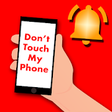
Don't Touch My Phone: Anti Theft Alarm is a free Android application designed to enhance the security of mobile devices. It employs the built-in accelerometer to detect unauthorized movement, triggering an alarm if the device is shifted or tampered with. This feature is particularly useful for preventing theft or unwanted access, making it an ideal choice for users who prioritize device security. The app is compatible with a wide range of Android devices, ensuring broad usability across different models.

Top Recommended Alternative

The user interface is designed for simplicity, allowing users to easily configure settings and activate the alarm system. Notifications alert users when the alarm is triggered, providing an additional layer of security. With thousands of users relying on this application, it has established a reputation as a reliable tool for safeguarding mobile devices against theft and unauthorized use.

Enlarged image for Don't Touch My Phone : An…
Don't Touch My Phone : Anti Theft Alarm 0/3

Used Don't Touch My Phone : Anti Theft Alarm for Android?


Explore More


Full Specifications

GENERAL
Release
Latest update
Version
1.0.2
OPERATING SYSTEMS
Platform
Android
Additional Requirements
Requires Android 4.0.3 and up
POPULARITY
Total Downloads
37
Downloads Last Week
0

Report Software

Last Updated


Developer’s Description

Don't touch my phone is the anti theft app that detects motion when someone tries to touch your phone without your permission.

Don't touch my phone is the anti theft app that detects motion when someone tries to touch your phone without your permission. This is the most reliable Mobile Safety Alarm for your device. Dont Touch My Phone - Theft Alarm with password is the best for Mobile Lock 2019.

do not touch my phone is very simple to use for trigger alarm and mobile antitheft security such as mobile safety alarm and mobile thief catcher. Just press the activate button and you are good to go for phone theft security alarm. This phone anti-theft alarm app have also PIN protection system i will ask password when an alarm will beep don't touch my phone PIN is highly protected.now crooks don't touch my phone any more. No one touched phone any more. alarme anti furto will be disabled only with pin system. phone alarm will also need pin for disabling the alarm. So now you don't have to say anybody that please don't touch anything and don't touch my smartphone or don't touch phone privacy. Alarme antifurto got your back.

Key Features of dont touch my phone

do not touch my phone

don't touch my phone

dont touch my phone

dont touch anything

don't touch phone privacy

dont touch my smartphone

anti furto

antifurto de celular

who touched my phone

don't touch anything

mobile touch

alarme antifurto

please don't touch

touchtunes

alerm

touching

workmates

alarme anti furto

touched

crooks

don t touch my phone

mobile alarm touch

fass

anti-theft alarm

burglar alarm

theft security

thief catcher

safety alarm

antitheft security

trigga alarm

don't touch my phone is the major need of current era for protection against anti furto de celular. So every one should use don't touch anything and don't touch my smartphone app. Don't touch phone privacy also. You will know who touched my phone.Best mobile alarm touch app for anti theft alarm and burglar alarm . Main features include are theft security and thief catcher for safety alarm and anti-theft security and trigga alarm. Best anti touch phone app.

Prevent unauthorized access with quick and easy setup

1. Press START to activate the Anti Theft Alarm.

2. Place the device on a fixed place e.g. Table


Download.com
Your review for Don't Touch My Phone : Anti Theft Alarm
Download.com

AI Assisted Content Disclosure

Content created and reviewed by Softonic with information obtained from 4 Tech Solutions, using AI.

CNET's editorial team was not involved in the creation of this content. Opinions, analysis and reviews were not provided by CNET.