Used Disney Stickers: Mickey's 90th for iOS?
Disney Stickers: Mickey's 90th Analysis
AI Assisted Content ·
Not written by CNET Staff.
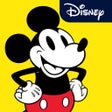
Disney Stickers: Mickey's 90th offers a delightful collection of 21 animated stickers featuring the iconic character, Mickey Mouse. This sticker pack is designed to enhance your iMessage conversations, allowing users to express a variety of emotions through Mickey's famous expressions. Each sticker captures moments of joy, excitement, and nostalgia, making it a perfect addition for fans of all ages. The stickers include phrases like 'Let's Go,' 'Oh Boy,' and 'Old/New Angry,' ensuring there is a suitable option for every chat scenario.
Top Recommended Alternative
To use these stickers, simply access the iMessage app drawer and select the Disney Stickers: Mickey's 90th pack. Animated stickers are available exclusively for iPhone and iPad users running iOS 10 or later, while earlier versions will display static images. The ease of placing stickers over messages, photos, and videos adds an interactive layer to conversations, making it a fun way to communicate with friends and family.
Used Disney Stickers: Mickey's 90th for iOS?
Explore More

Mystical Shaman Oracle
Free
Digital Force Bag
Paid
Addon Creator for Minecraft PE (MCPE)
Free
Tamil Songs
Free
Off Book! Pro
Paid
Serta Remote
Free
The Spirit Animal Oracle
Free
Adult Affair Finder - Yboo
Free
SpyMe
Free
Poke Notify - Browse Nearby Location on the Map for Pokemon GO
Free
Poke Card Maker for Pokemon
Free
GoIPTV M3U
Free











