Used Digital Clock 24 Alarm Timer for Android?
Editors’ Review
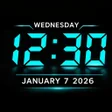
Experience a compact timekeeping suite with Digital Clock 24 – Alarm Timer by Alpha Apps Studio INC - Notepad File Manager. The app combines a digital and analog clock display, smart alarm, countdown timer, stopwatch and world clock into one interface for bedside and daily use. It offers customizable widgets, wallpapers, and a bedside night clock for low-light readability. The design targets Android users such as heavy sleepers, students, and travelers who need multiple synchronized time tools on a single device.
How does the app combine timing tools for real tasks?
The app groups multiple timing functions around concrete use cases, targeting bedside wakeups, interval training, cooking, and coordinating across time zones. A full-screen display serves nightstand use, a stopwatch supports interval workouts, and a countdown covers timed tasks. World clock entries let users track specific cities, while home-screen widgets and wallpaper options provide quick access without launching the full interface.
Does it affect device performance during extended display or background use?
Persistent display modes change how the app interacts with a device, because bedside night clocks keep the screen active while widgets present time without foregrounding the app. Placing a widget reduces the need to open the app repeatedly, shifting work from the app process to the launcher. Users who keep the night clock on will trade continuous screen activity for constant readability; widgets minimize that trade-off.
Is the alarm system dependable for heavy sleepers?
The alarm focuses on reliability through loud volume and snooze logic, explicitly offering loud alarm options and smart snooze behavior. Multiple alarms with recurring schedules let users set weekday routines or separate wake times for travel. Those options make the alarm configuration more redundant than a single notification tone, addressing users who need stronger auditory cues to wake.
Do I need technical knowledge to configure clocks, widgets, and time zones?
Configuration is approachable for non-technical users, since the app targets Android users such as students and professionals and exposes visual settings like analog or digital styles. Adding cities to the world clock requires selecting locations, and widgets are customizable on the home screen, but no advanced system administration is necessary to use the core functions for daily timekeeping and alarms.
Pros
- Combines digital, analog, alarm, timer, stopwatch, and world clock
- Smart alarm with loud volume and snooze for heavy sleepers
- Customizable home-screen widgets and wallpaper for quick time checks
Cons
- Full-screen bedside mode increases screen-on time and may drain battery
- World clock requires manual city selection for each tracked timezone
- Widgets take home-screen space and require manual placement
Bottom Line
Practical option for centralized timekeeping, with a screen-time trade-off
The app is a practical option for Android users who need consolidated timekeeping across waking, timing, and timezone coordination. It suits heavy sleepers and frequent travelers because of its focused alarm and multi-clock approach. The main trade-off is that prolonged use in a full-screen bedside mode can increase screen-on time, so users prioritizing battery conservation should prefer widgets or limited display sessions.
Used Digital Clock 24 Alarm Timer for Android?











