Used DietController for Windows?


Editors’ Review

Download.com staff
DietController is a desktop application for comprehensive diet and exercise tracking. It automates nutritional calculations, offers instant summaries for calorie management, and generates progress charts. Supports multiple users and data export.
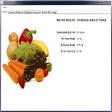
Enlarged image for DietController
DietController 0/1
  • Pros

    • Super fast food and exercise search.
    • Direct spreadsheet entry for data input.
    • Full undo and redo functionality.
    • Customizable interface elements like font and colors.
    • Supports multiple users with shared food database.
  • Cons

    • No explicit mention of mobile application version.
    • Lacks cloud synchronization beyond PC to PC transfer.
    • Integration with external fitness trackers is not listed.
    • Barcode scanning for quick food entry is absent.
    • No mention of a pre-populated, comprehensive online food database.

Used DietController for Windows?


Explore More


Full Specifications

GENERAL
Release
Latest update
Version
1.80
OPERATING SYSTEMS
Platform
Windows
Operating System
  • Windows 10
  • Windows Vista
  • Windows 7
  • Windows XP
  • Windows 8
Additional Requirements
Java Runtime Environment 1.4
POPULARITY
Total Downloads
1,593
Downloads Last Week
0

Report Software

Program available in other languages


Last Updated


Developer’s Description

Track all aspects of your diet.

DietController is an easy to use diet and exercise journal. Use with any weight loss plan to accurately track and record your diet. Just enter the foods you eat each day and let our diet software do all the calculations for you. Instant summaries allow you to manage and plan your calorie intake. Charts and reports show you your progress. Features include: Super fast food and exercise search; Quickly add new foods and exercises to the database; Add multiple portion sizes to foods for easy logging; Create new foods from lists of ingredients; Cut, copy and paste foods between days; Drag and drop foods to/from the favorites finder; Create printed reports and charts; Direct spreadsheet entry of data, no slow dialogs or internet pages; Full undo and redo, if you make a mistake simply press the undo button to revert the change; Customizable interface, change font, colors, nutrients shown; Find foods in multiple ways: by name, category, favorites or foods you've used before; Backup and restore your data for safekeeping and to transfer from PC to PC. Export data to text files (CSV) for import into word processor or spreadsheet; Supports multiple users all sharing the same food database.


Download.com
Your review for DietController