Used Dawn theme for APUS Launcher for Android?


Dawn theme for APUS Launcher Analysis

AI Assisted Content ·

Not written by CNET Staff.

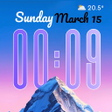
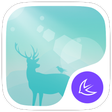
Dawn theme for APUS Launcher is a free customization tool designed for Android users. This app provides a visually appealing interface, featuring an assortment of high-quality wallpapers and HD icons to personalize the home screen. The theme draws inspiration from nature, presenting a serene deer in the forest motif that adds a tranquil touch to any device. Users can easily install and apply the theme, enhancing their Android experience without complicated procedures.

Top Recommended Alternative

The app is compatible with the latest version of Android and most devices, ensuring wide accessibility. With its user-friendly interface, Dawn theme allows for a quick and straightforward setup. The collection of wallpapers can be easily navigated, and the HD icons are crafted to maintain clarity and aesthetic appeal. Overall, this theme provides an excellent opportunity for users looking to refresh their device's appearance.

Enlarged image for Dawn theme for APUS Launc…
Dawn theme for APUS Launcher 0/3

Used Dawn theme for APUS Launcher for Android?


Explore More


Full Specifications

GENERAL
Release
Latest update
Version
703.0
OPERATING SYSTEMS
Platform
Android
Operating System
Android 9.0
POPULARITY
Total Downloads
125
Downloads Last Week
0

Report Software

Program available in other languages


Last Updated


Developer’s Description

Dawn theme for APUS, the SMALLEST and FASTEST launcher on market.
This dawn theme contained dozens of beautiful icons with unified style for popular apps, and stunning wallpaper of dawn moment. Features of dawn theme include: Dozens of app icons and counting; Stunning wallpaper of dawn theme; This theme is fit for various screen resolutionDont hesitate to install this beautiful dawn theme! This theme is only compatible with APUS Launcher for now, so you need to install APUS Launcher if you didnt. 5-stars rated over 1.2 million, and installed on about 100 million devices in over 235 countries,APUS Launcher is the smallest, fastest, and simplest launcher on market. More than just a launcher that puts your favorite apps at your fingertips, APUS boosts speed and battery life of your phone, helps you search everything, while making the using experience as seamless and smooth as iOS.Features of APUS Launcher include: Smart Folder - Simply put your Clash of Clans and Candy Crush Saga into Game folder, your Instagram and Snapchat into Social folder. APUS Mobile Search - Introducing contact search, and you can search everything using voice; Brand NEW APUS Radar - Like a real radar, discover popular apps nearby. More fun is waiting for you Prior Apps - Simply put Facebook, Twitter and other apps you may use mostly on your first screen, that's the top speed to start apps. APUS Notification -You will never miss important messages from your friends and family, by small badges on home screen icons, available for Call, SMS ,Whatsapp and Gmail. APUS Boost - Speed up your games and apps, clean-up memory (RAM) and boost your device. APUS Boost works directly from your home screen, help you go through the speed limit. Notification Toolbar - Provide instant switch such as Flashlight, mobile data and WiFi. Make your phone running on faster speed . APUS Wallpaper - Full of HD wallpapers that can be used for both home and lock screens.Stay connected!Install APUS Launcher: https://play.google.com/store/apps/details?id=com.apusapps.launcherFacebook: http://www.facebook.com/APUSGROUPTwitter: https://twitter.com/apusgroupFeedback: apusecho@gmail.comPrivacy Policy: http://tinyurl.com/q9zwbbrWebsite: http://www.apusapps.comGoogle+ User Community: http://tinyurl.com/l2t2yvgTerms of Service: http://tinyurl.com/ma8gk6kRecent changes:Initial release.Content rating: Everyone

Download.com
Your review for Dawn theme for APUS Launcher
Download.com

AI Assisted Content Disclosure

Content created and reviewed by Softonic with information obtained from APUS Personalization, using AI.

CNET's editorial team was not involved in the creation of this content. Opinions, analysis and reviews were not provided by CNET.