
Used Convert MBOX to PST for Outlook for Windows?


Convert MBOX to PST for Outlook Analysis

AI Assisted Content ·

Not written by CNET Staff.

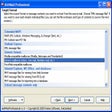
Convert MBOX to PST for Outlook is a free Windows application designed to facilitate the conversion of MBOX files into PST format, which is compatible with Microsoft Outlook. This tool is particularly useful for users who need to migrate their email data from various email clients that support MBOX format, such as Thunderbird or Apple Mail, to Outlook. The program boasts a simple user interface that allows users to select MBOX files and initiate the conversion process with minimal effort.

Top Recommended Alternative

The software ensures that all email attributes, including attachments, are preserved during the conversion. Additionally, it supports batch conversion, enabling users to convert multiple MBOX files simultaneously, thus saving time. The application is lightweight and does not require any additional software to function, making it a convenient option for users looking to transition their email data to Outlook seamlessly.


Used Convert MBOX to PST for Outlook for Windows?


Explore More

Full Specifications

GENERAL
Release
Latest update
Version
4.14
OPERATING SYSTEMS
Platform
Windows
Operating System
  • Windows 8
  • Windows 7
  • Windows XP
  • Windows 10
  • Windows Vista
  • Windows 2003
  • Windows Server
Additional Requirements
Microsoft Outlook 2003/2007/2010/2013/2016/2019/365
POPULARITY
Total Downloads
1,235
Downloads Last Week
1

Report Software

Program available in other languages


Last Updated


Developer’s Description

Convert MBOX files to PST for Microsoft Outlook.
The utility converts the e-mail database files from the MBOX format to PST for Outlook. You can get one or more PST files from MBOX files in different folders. The contents of each MBOX file can be saved in a separate folder in the PST file. In the process of conversion, you can immediately split the resulting PST files by size or year.The MBOX format is used by some e-mail programs to store e-mail messages, such as Mozilla Thunderbird. MBOX files contain all mailbox messages or each folder separately. To make these messages available to Outlook or Exchange Server, you must import them into Outlook or convert to Outlook PST data files. After the message base is converted from MBOX to PST, you can open it in Outlook.

In addition, MBOX files are used by some e-mail services to migrate message databases, such as Google Takeout. When you convert such MBOX files, the utility recognizes e-mail labels and can create the Gmail folder structure in a PST file. You can also use Gmail labels to assign Outlook categories to messages.Messages in a resulting PST file will look as if you received them directly to Outlook from the mail server. All HTML formatting, attachments, and headers will be saved in the original form. When converting, source MBOX files can be moved to another folder. In this case, when you rerun the utility from the same location, target PST files will not contain duplicate messages.Converting e-mail messages from MBOX to PST is used when migrating or preparing to migrate an old mail database from MBOX format to Outlook and Exchange Server mailboxes and public folders. Pre-conversion enables you to estimate the size of the new database and transfer data in parts. To convert MBOX to PST on a schedule, or as part of batch files and scripts, use the command line provided by the product. By using the command line, you can create flexible mail transfer and migration scenarios for any number of users in any organization.


Download.com
Your review for Convert MBOX to PST for Outlook
Download.com

AI Assisted Content Disclosure

Content created and reviewed by Softonic with information obtained from Relief Software, using AI.

CNET's editorial team was not involved in the creation of this content. Opinions, analysis and reviews were not provided by CNET.