Used ControlKit: Themes Widgets for Android?
Editors’ Review
ControlKit: Themes & Widgets from Bright Box Apps is an Android personalization suite that centralizes theme coordination, widgets, and input customization to reshape the device interface. It combines a customizable control center with home-screen widgets and a custom keyboard system to let users apply coordinated icon packs and wallpapers across their home screens. The app supplies themed packs ranging from minimal to anime and targets Android users who enjoy deep visual customization and consolidated tools.
What does ControlKit change on the home screen?
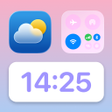
ControlKit places several UI elements directly onto the home screen so users can compose a coordinated look and workflow. The widget set includes clock, date, battery, and network status elements plus shortcut panel widgets for favorite apps. A Smart Control Center gives instant access to system toggles such as brightness, volume, Wi-Fi, Bluetooth, flashlight, screen recording, and dark mode.
How much can you customize appearance and input?
The app exposes granular visual controls: widgets can be resized, recolored, and repositioned while themed icon packs and high-definition wallpapers create a unified appearance. The custom keyboard designer supports personal photo backgrounds and unique fonts so typing matches the chosen theme. A regularly updated theme library supplies preset packs labeled minimal, anime, and aesthetic for faster composition.
Does ControlKit affect device performance or startup?
ControlKit consolidates multiple personalization modules into one package, so it manages several interface components simultaneously rather than a single feature. The product targets a range of Android versions and is compatible with standard launchers, which means device behavior varies by hardware. Users with entry-level devices may notice different responsiveness when many widgets or large wallpaper images are active.
Is ControlKit easy to install and compatible with launchers?
The app is designed for broad launcher compatibility and works with all standard Android launchers, simplifying integration into an existing setup. The interface is easy-to-use and theme packs let users apply coordinated icons, wallpapers, and widgets without external tools. The photo keyboard workflow uses images from the device, so creating a personalized typing surface does not require separate image editors.
Pros
- Smart Control Center exposes brightness, volume, and connectivity toggles
- Photo-background keyboard support with custom fonts
- Resizable, recolorable widgets including clock and battery status
- Compatible with all major Android launchers
Cons
- Broad feature set increases configuration time
- Large, regularly updated theme library can feel overwhelming
- Consolidation of modules may increase resource use on low-end devices
Bottom Line
ControlKit is a practical consolidation for customization-focused users
ControlKit is a practical option for Android users who want a single app to coordinate themes, widgets, and keyboard visuals across their device. Its consolidated approach gives creative control to people who enjoy composing a cohesive home screen, but the number of modules means allocating time to configure and organize packs effectively, especially on lower-spec devices.
Used ControlKit: Themes Widgets for Android?











