Used Computer Lockscreen For Win 10 for Android?


Computer Lockscreen For Win 10 Analysis

AI Assisted Content ·

Not written by CNET Staff.

Computer Lockscreen For Win 10 is a free Android application designed to offer users a convenient way to lock their Windows 10 computers remotely. This utility provides a straightforward interface that allows users to secure their PCs without needing to physically access them. With features such as customizable lock options and easy connectivity, it aims to enhance user security while maintaining simplicity in operation.

Top Recommended Alternative

The app utilizes a straightforward connection process, enabling users to lock their computers with just a few taps from their Android devices. It supports various lock modes to suit different user preferences, ensuring that security is tailored to individual needs. Overall, Computer Lockscreen For Win 10 is a practical tool for anyone looking to manage their computer's security from their mobile device.

Enlarged image for Computer Lockscreen For W…
Computer Lockscreen For Win 10 0/3

Used Computer Lockscreen For Win 10 for Android?


Explore More


Full Specifications

GENERAL
Release
Latest update
Version
1.0
OPERATING SYSTEMS
Platform
Android
Additional Requirements
Requires Android 4.0 and up
POPULARITY
Total Downloads
30
Downloads Last Week
0

Report Software

Program available in other languages


Last Updated


Developer’s Description

You love windows operating system with windows 7, windows 8 and windows 10.

You love windows operating system with windows 7, windows 8 and windows 10. You want to have a new look on your phone. Want to protect your phone with passcode style windows 10. Customize your lock screen with windows theme, computer launcher: Lock Sreen for Computer Theme is exactly what you are looking for.

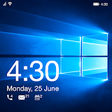
Computer lock screen for windows 10 will change you mobile lock screen to look like desktop PC launcher where you can customize it with many wallpapers and lock it with pin code style computer. The Computer lock screen for windows 10 gives you all the control of your mobile, you can turn wifi , GPS, Torch and so many things just on your lock screen for Computer Launcher.

This Lock Screen style win 10 designed for Computer Launcher that can change your phone interface to look like windows 10 PC Launcher. The design of this computer lock screen is similar desktop lock screen. Computer lock screen will change you mobile lock screen to look like desktop PC win 10 launcher where you can customize it with many wallpapers and lock it with pin code.

Computer Lock Screen is the ultimate windows lock screen for busy professionals. Next helps protect your phone from unwanted access by others, and you are instantly more productive. It is an excellent productivity locker app and companion for your everyday life.

Some applications do not perform the origin of the HOME button, BACK, RECENT while computer lockscreen can do that.

Some applications do not protect your privacy when just a phone call to your phone, your phone will automatically open to allow strangers intrusion

Highlight feature of Lock Screen for Computer Launcher

Notifications style windows 10: Get your notifications directly on your computer lockscreen.

Time & Battery style windows 10: Check your battery level directly on your windows lock screen

Date & Alarm for Computer Launcher: Dont miss the next important event

Flashlight in LockScreen Conputer: Shortcut to turn on the torch without unlocking your device

Music Player style windows 10: Control the music player without unlocking your device

Security your phone: Protect your device with a Pin code

Lockscreen for Computer Launcher is really simple and easy to use, you just select function allows key, then enter password so that your device is protected.

We always try to bring you the greatest convenience. Thank for use!


Download.com
Your review for Computer Lockscreen For Win 10
Download.com

AI Assisted Content Disclosure

Content created and reviewed by Softonic with information obtained from tungtk, using AI.

CNET's editorial team was not involved in the creation of this content. Opinions, analysis and reviews were not provided by CNET.