Used CMX - Modern UI UX * KLWP Theme for Android?


CMX - Modern UI UX * KLWP Theme Analysis

AI Assisted Content ·

Not written by CNET Staff.

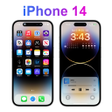
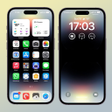
CMX - Modern UI UX & KLWP Theme offers a fresh aesthetic for Android users. This theme is designed to emulate the look of the Apple iPhone X, featuring unique wallpapers, icons, and fonts, all aimed at enhancing the visual appeal of Android devices. The interface is user-friendly, allowing for easy navigation and customization. Users can enjoy a polished and modern experience, making their devices stand out from the standard Android interface.

Top Recommended Alternative

In addition to its stylish design, CMX - Modern UI UX & KLWP Theme emphasizes practicality. The theme is fully compatible with KLWP, allowing for extensive customization options. This means users can tailor their home screens to fit their personal style, with a variety of settings to choose from. With its combination of aesthetics and functionality, this theme is a compelling choice for anyone looking to refresh their device's appearance.

Enlarged image for CMX - Modern UI UX * KLWP…
CMX - Modern UI UX * KLWP Theme 0/3

Used CMX - Modern UI UX * KLWP Theme for Android?


Explore More

Full Specifications

GENERAL
Release
Latest update
Version
v1.0
OPERATING SYSTEMS
Platform
Android
Additional Requirements
None
POPULARITY
Total Downloads
79
Downloads Last Week
0

Report Software

Program available in other languages


Last Updated


Developer’s Description

Please read the entire description before downloading.

PLEASE READ THE ENTIRE DESCRIPTION BEFORE DOWNLOADING

Please make sure to get KLWP PRO before downloading this theme

Compatible with 18/9 and 16/9 Aspect ratio screens

----------------------------------

Nova Settings:

* 2 Screens (Page)

* Wallpaper Scrolling On

* No Dock

* Look and feel...

Show notification Bar:ON/OFF (personal choice)

Transparent Notification Bar: ON

Instructions:

Once Installed... Open Kustom > Load Preset > Installed > Tap on the Theme > Hit the save button > Ok to Set as Wallpaper/Set Wallpaper and go back to the Homescreen

All set!

For deeper personalization:

See "Settings" Picture above.

Color - Check the GLOBALS section in the root layer and you'll see that most of the Theme has been globalized. Just change it to whatever you want and save changes. Reload the theme to revert original color

There are 2 hidden Player options in the music section originally connected to Spotify and Google Play Music you can change the text of this 2 buttons in the Globals section and the app in the shortcuts section as well as the 4 hidden App shortcuts on the bottom.

Now it's easier than ever to change what opens what in the Shortcuts section in the Root layer.

If you want to add Auto close times to the hubs - Go to the Globals section - scroll down - put a check mark on either one of the switches - tap the top pencil icon (Edit) - Auto off - Change it to Manual and add seconds.

The Wallpapers featured in the last 2 pictures are not included in the theme, they are just used to show the theme capabilities.

DO NOT use the rating/review for troubleshooting. Please contact me with any questions/issues before leaving a negative rating, I should be able to get in contact through my email (below), Hangouts or G+

Phone mockup used for this presentation:

Created by Zlatko_plamenov - Freepik.com


Download.com
Your review for CMX - Modern UI UX * KLWP Theme
Download.com

AI Assisted Content Disclosure

Content created and reviewed by Softonic with information obtained from Christopher Martell X - CMX, using AI.

CNET's editorial team was not involved in the creation of this content. Opinions, analysis and reviews were not provided by CNET.