Used CLIPDAY for iOS?
Editors’ Review
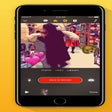
CLIPDAY, developed by Hidekazu Masuda, is an iPhone app for documenting everyday moments in short clips. You capture brief bursts, organize them by date, and stitch selected snippets into a single narrative with quick edits. The app emphasizes a fast mobile workflow with trimming, previews, and stylized output using filters and animated text. It targets casual videographers and daily vloggers who want a repeatable, on-the-go visual diary without desktop complexity.
You can assemble short daily stories in minutes
The app centers on rapid capture and sequence-building: recording duration presets let you grab 1, 2, or 3 second bursts, and you can import longer footage from your photo library and trim it down. A timeline-based editor lets you reorder clips, preview the combined sequence, and export a finished video without moving to another device, so you spend most of your time composing moments rather than fighting menus.
The app handles vertical and horizontal footage natively
Recording supports both 9:16 vertical and 16:9 horizontal aspect ratios, so you can produce outputs for social feeds or widescreen viewing. Horizontal capture can use the volume button as a shutter, while built-in stabilization and zoom switching smooth handheld shots. Slow-motion recording is available for select scenes, giving you simple creative options beyond straight-speed clips.
The interface prioritizes quick organization and consistent looks
Date-based organization keeps clips grouped by when you shot them, making daily review and retrieval straightforward. Color adjustment tools include preset Filters and LUTs, and the Pro-tier adds a saved "My Filter" system for consistent grading. Text overlays come with customizable animations, letting you establish a visual voice quickly rather than constructing complex motion effects from scratch.
The app favors short-form workflows over deep timeline editing
Targeted at casual videographers and daily vloggers, the app gives accessible tools for brief storytelling while keeping advanced controls compact. Pro unlocks additional capabilities, such as longer recording durations and custom filter saving. The app is designed for mobile-first use but also lists compatibility with Mac and Apple Vision Pro for reviewing or exporting captured diaries across devices.
Pros
- Quick 1–3 second recording presets for short-form storytelling
- Supports both 9:16 vertical and 16:9 horizontal capture natively
- Date-based organization simplifies finding and assembling daily clips
- Timeline editor with trimming and rearranging keeps projects compact
Cons
- Advanced grading and saved 'My Filter' functionality are in Pro
- Longer recording durations require the Pro tier
- Focused on short bursts, not suited for long-form editing workflows
Bottom Line
A practical gateway for people who want a daily visual diary
The app is a practical option if you want an easy, repeatable way to capture and compile small moments each day; its workflow favors brief, aesthetic clips and quick sequencing. If your work requires extended timelines or detailed audio mixing, this approach can feel limiting. Consider the app as an entry point for daily storytellers who prefer fast captures and consistent visual style over long-form production.