Used Clipboard Translator for Windows?
Editors’ Review
Clipboard Translator, developed by MIGUEL ANGEL CURRAS, provides instant in-place translation across Windows to avoid switching applications during multilingual tasks. The app uses global hotkeys and direct API connections to major engines to fetch translations from the system tray and display results inline or in a pop-up. Key capabilities include automatic replacement, support for multiple AI translation services, and a local translation history. It targets language learners, developers, and support staff who need fast contextual translations while reading and writing.
It delivers translations without interrupting a reading or coding session
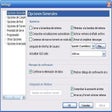
The app monitors the clipboard and uses a customizable global hotkey to translate selected text, so the user stays in the current window. It can operate from the system tray and show results in a pop-up or replace the original text in-place. Supported sources include PDFs, IDEs, browsers, and chat clients, which makes quick lookups possible inside documents, code editors, and messaging windows.
It supports incidental vocabulary learning by keeping lookups fast and contextual
Because translations appear immediately where the learner is working, the tool reduces time lost to switching to web pages. That workflow helps learners capture vocabulary in context while reading authentic material. The app's integrations with major AI engines support contextualized renderings of phrases, which benefits learners who need nuanced translations rather than literal word-by-word conversions.
It suits self-directed learners and busy professionals but requires external services
Target users named by the developer include international professionals, software developers, language learners, and customer support representatives, so the app favors independent study and on-the-job use. It relies on internet access and direct connections to chosen translation providers, and data is sent straight to those providers rather than passing through intermediary servers, a point to weigh for privacy-sensitive environments.
It offers simple recall traces rather than formal assessment tools
The app retains a local history of recent translations for offline reference, which supplies a basic record learners can consult later. That history provides lightweight recall evidence but does not replace structured progress reports or teacher dashboards; there are no built-in learning analytics or scoring displays intended for classroom grading.
Pros
- Global hotkeys enable instant translation without switching windows
- Supports multiple AI engines for contextualized renderings
- Local history stores recent queries for later review
- Pro version preserves formatting of lists, code, and bold text
Cons
- Requires internet access to communicate with translation providers
- Setup can require API keys for high-volume or AI integrations
- No built-in learning analytics or classroom reporting
- Automatic in-place replacement can overwrite original phrasing
Bottom Line
Practical choice for fast, context-driven language support with classroom caveats
For learners and professionals who prioritize immediate, task-centered translation during reading and writing, the tool is a practical aid that helps turn incidental lookups into study moments. Teachers planning classroom use should consider how external translation providers handle student data. Tip: capture interesting phrases during study sessions and add them to a separate review deck in your preferred study tool to build retention.
Used Clipboard Translator for Windows?