Used Classic Big Keyboard for Android?


Classic Big Keyboard Analysis

AI Assisted Content ·

Not written by CNET Staff.

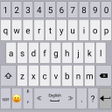
Classic Big Keyboard is a free Android utility designed to recreate the nostalgic look and feel of older keyboard layouts. This application allows users to customize key sizes, enabling a more comfortable typing experience. Additionally, it offers options for typing sounds and vibration feedback with each key press, enhancing user interaction. The app's design caters to those who prefer a traditional keyboard setup, providing a straightforward interface that many users may find appealing.

One notable feature of Classic Big Keyboard is its language-switching capability, which can be activated by swiping the spacebar side to side. This familiar gesture allows for seamless language changes while typing. Overall, the app combines essential functionalities with a classic aesthetic, making it a suitable choice for users seeking a retro keyboard experience.

Enlarged image for Classic Big Keyboard
Classic Big Keyboard 0/4

Used Classic Big Keyboard for Android?


Explore More


Full Specifications

GENERAL
Release
Latest update
Version
9.9
OPERATING SYSTEMS
Platform
Android
Operating System
Android 15.0
POPULARITY
Total Downloads
123
Downloads Last Week
2

Report Software

Program available in other languages


Last Updated


Developer’s Description

Swipe the spacebar from side to side for switching between languages.

Swipe the spacebar from side to side for switching between languages.

Long press the "Enter" key to get into the keyboard settings.

Select your theme from many themes of the Classic Keyboard.

Adjust the size of the keys.

Change the sound and vibration of typing.

Select the favorite top and bottom rows of the keyboard.

Dictionary settings.

Typing settings.

Display settings.

Gestures.

Emojis


Download.com
Your review for Classic Big Keyboard
Download.com

AI Assisted Content Disclosure

Content created and reviewed by Softonic with information obtained from Apps Technologies, using AI.

CNET's editorial team was not involved in the creation of this content. Opinions, analysis and reviews were not provided by CNET.