Used ClarityOS Launcher for Android?
Editors’ Review
ClarityOS Launcher by BIG ONE is an Android home-screen replacement designed to present a calm, organized interface. It organizes apps into a Smart App Library with alphabetical sorting, provides quick-search, customizable folders, and home-screen widgets such as clock and calendar for faster navigation. Curated themes and wallpapers, responsive navigation gestures, and long-press shortcuts support layout adjustments and focused visual choices. The launcher targets Android users who prefer minimal, orderly screens and quicker access to essentials.
What does ClarityOS change about the home screen?
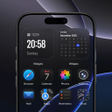
ClarityOS replaces the default home screen with a focused layout that groups apps and essentials. Its Smart App Library provides alphabetical sorting plus a quick-search field for finding installed applications. The launcher exposes functional widgets on the primary screen, notably clock and calendar, so glanceable information appears without opening separate apps, reducing the need to navigate layered menus.
How much can you customize layout and appearance?
Customization centers on curated visual choices and app grouping. Users can create customizable folders to group related applications and select from a curated collection of themes and wallpapers that range from minimal to bold. The launcher supplies icon style toggles and visual presets intended to keep options focused rather than presenting a vast, community-driven theme marketplace.
Is ClarityOS easy to set up for everyday use?
Setup and daily operation rely on familiar interactions. Create folders by dragging one app icon onto another, then use long-press management and grid controls to add, remove, or rearrange items. Responsive navigation gestures let you move between screens and access the app library quickly, and long-press shortcuts speed common tasks such as pinning or removing icons without opening system settings.
Which devices does ClarityOS support and who maintains it?
ClarityOS runs on Android devices and typically requires Android 8.0 or higher, so older handsets may be excluded. The developer has produced other personalization work such as FocusOS Launcher, and the app has appeared in Top New Free rankings in regions including the United States and Europe, indicating initial visibility within the personalization category rather than any specific stability guarantees.
Pros
- Alphabetical Smart App Library for faster app lookup
- Quick-search field helps locate installed apps instantly
- Curated themes and wallpapers provide cohesive visual choices
- Clock and calendar widgets offer at-a-glance information
Cons
- Requires Android 8.0 or higher, excluding older devices
- Curated theme selection may not satisfy users wanting large libraries
- Widget set appears limited to clock and calendar in documentation
Bottom Line
Clear option for users who want a restrained, ordered launcher
ClarityOS suits Android users who prioritize reduced home-screen clutter and a curated visual approach; that narrower focus may disappoint people who want extensive third-party theme ecosystems. As a practical tip, set the launcher as your system default after installation so home-screen layout and the app library remain consistent through restarts and routine updates.
Used ClarityOS Launcher for Android?











