Used Chordian for Android?
Editors’ Review
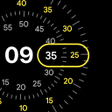
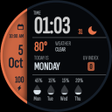
Blends a mechanical-style dial with a rotating digital stats carousel that surfaces current temperature, multi-day forecast, rain probability, and activity summaries at a glance. Fondor Labs developed this personalization watch face for Android smartwatches running Wear OS. The face offers deep palette and layout controls, a minimalist Always-On Display mode with low on-pixel ratio, and implementation using the latest Watch Face Format for efficiency. It suits Wear OS owners who want dense, glanceable data while preserving traditional watch visuals.
How does the dynamic carousel present glanceable information?
Dynamic Stats Carousel cycles through weather, rain probability, forecast, and activity metrics, either on a timer or via manual swipe. The face consolidates the time, a three-day weather strip, and activity summaries into one central area. Users can set the carousel to rotate automatically or lock a single stat in place, which keeps the dial uncluttered while still providing multiple data types without switching faces.
How much can you customize the watch face?
Deep personalization covers color palettes and layout details, letting users tune the hybrid balance between analog markers and digital complications. Options include palette selection, arrangement of the carousel area, and detail toggles for which activity metrics appear. The design keeps a realistic watch look while exposing granular controls, so both appearance and the information hierarchy can match personal preference without editing external apps.
Does Chordian impact battery and performance on Wear OS devices?
The face is built using the latest Watch Face Format for Wear OS 5, a choice that targets improved efficiency and smoother animations on recent hardware. The Always-On Display uses a low On-Pixel Ratio to limit power draw during idle screens. Compatibility requires wearables running Wear OS 5 or higher, and the face is explicitly optimized for modern Samsung Galaxy Watch and Google Pixel Watch models.
Pros
- Dynamic Stats Carousel cycles weather, rain probability, forecast, and activity metrics
- Uses latest Watch Face Format for improved efficiency and smoother animations
- Minimal Always-On Display with low on-pixel ratio to reduce power draw
- Extensive color and layout personalization controls
Cons
- Requires Wear OS 5 or higher, excluding older smartwatches
- Information-rich layout may overwhelm users who prefer minimalist faces
- Optimization targets Galaxy and Pixel Watch series, other models may vary in polish
Bottom Line
Best for Wear OS owners who want dense, glanceable information
Early feedback praises the face's clean visuals and efficient performance, aligning with its aim as an information-dense option. Fondor Labs' experience in Android and wearable development shows in execution. Practical tip: enable the minimalist Always-On Display to check battery behavior on your watch before heavy personalization. Chordian suits users who prefer a single, data-packed watch face rather than several minimal ones.