Used Carlink Play Auto Sync Connect for Android?
Editors’ Review
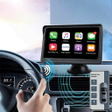
Carlink Play Auto Sync Connect, developed by MONIQ TAP. CO LTD, turns an Android smartphone into a connected car dashboard for drivers. It aggregates navigation, media playback, hands-free calling, weather updates, and maintenance reminders into a driver-oriented interface, and it offers wireless synchronization to compatible vehicle infotainment systems. Notable capabilities include a large-button driving mode, automatic parking location saving, and a customizable dashboard combining maps, audio, and vehicle alerts. The app targets drivers with older or wired-only infotainment who want safer device handling while driving.
Centralizes navigation and controls into a driver-focused dashboard
The app combines mapping, audio, calling, weather, and maintenance reminders into one display so drivers do not switch apps while driving. Its large-button driving mode enlarges tappable controls to reduce on-screen distraction, and the customizable dashboard lets users place maps and media controls within a single view. That design addresses the common problem of managing multiple phone apps from a vehicle seat.
Parking location and routing depend on saved coordinates and map access
The automatic parking saver records a vehicle’s location when driving stops and exposes that position on the integrated map view, making retrieval straightforward. Navigation access uses the phone’s map applications through the dashboard so routing precision depends on the phone’s GPS and the chosen map app. User feedback notes mixed connection stability, which can affect how consistently saved locations and live directions appear.
Pairs with vehicles wirelessly using Bluetooth, WiFi, or casting on Android 8.0+
Carlink operates as an independent wireless bridge, connecting via Bluetooth, WiFi, or casting technology and requiring Android devices running version 8.0 or later. That connection model avoids vehicle hardware modification and works with compatible infotainment systems. The developer clarifies the app is not affiliated with vehicle manufacturers, so pairing behavior depends on the vehicle’s supported wireless profiles and the phone’s hardware.
Suited for drivers upgrading older infotainment, but compatibility matters
Intended users include people who want a single, hands-free dashboard experience in cars that lack modern wireless interfaces. The app supports in-car media and calling workflows and stores maintenance reminders for vehicle care. Users are responsible for ensuring their use complies with platform terms and local rules, and reported compatibility issues with certain vehicle models or phone hardware limit reliability in some setups.
Pros
- Large-button driving mode reduces on-screen distraction
- Automatic Car Finder records parking location without manual input
- Operates wirelessly via Bluetooth, WiFi, or casting on Android 8.0+
Cons
- Connection stability varies across vehicle models and phone hardware
- Wireless sync requires compatible infotainment systems to function reliably
- Not affiliated with vehicle manufacturers; pairing behavior depends on third-party hardware
Bottom Line
A practical option when device and vehicle pairing are confirmed
Carlink is a pragmatic choice for drivers seeking a consolidated in-car dashboard that reduces phone handling. Its practical value depends on stable wireless pairing and vehicle-device compatibility, so verify a reliable connection during short trips before relying on it regularly. For owners of older infotainment systems looking to centralize cockpit tasks, Carlink serves as a focused alternative when pairing behaves predictably.
Used Carlink Play Auto Sync Connect for Android?