Used Car Dashboard - Speedo Widget for Android?
Editors’ Review
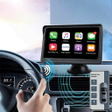
Car Dashboard - Speedo Widget, from Mortys Games, turns an Android smartphone or tablet into a landscape-optimized vehicle dashboard for in-car use. It consolidates a GPS speedometer, live map preview, music playback controls, real-time weather, and trip statistics into a single view to reduce app switching while driving. Customizable widgets, dual-mode speedometer styling, and landscape layouts let users prioritize shortcuts and display elements. The app targets drivers, daily commuters, and enthusiasts who use tablets or older vehicles without built-in smart displays.
How the app assembles driving information into one display
The app combines core driving data into a single dashboard by presenting the GPS speedometer, map preview, media controls, and weather updates inside a unified interface. The dashboard's widget system lets users place shortcuts for phone calls and apps alongside trip statistics, and the dual-mode speedometer offers both digital and analog gauge aesthetics so drivers can choose a preferred visual layout for landscape mounts.
How accurate and dependable the speed and trip readings are
Speed and route information depend on the device's GPS hardware, since the app uses the phone or tablet GPS to report real-time speed, distance, and location. Trip statistics record duration, distance traveled, average speed, and maximum speed, so recorded metrics reflect the device's satellite lock quality and reception conditions rather than external sensors or vehicle telemetry.
Which devices and setups the dashboard supports
Designed for Android phones and tablets in landscape orientation, the app is optimized for car mounts and Android-based head units and can function as a primary car launcher. The layout and widget sizes adjust for larger tablet displays, so installers using a dedicated device as an in-car display can configure the interface for readable, landscape presentation.
Intended use cases, safety alerts, and regulatory considerations
Targeted at everyday driving and retrofit infotainment setups, the app includes speed limit awareness and speed camera alerts to help drivers monitor compliance while on the road. Users should note that the app aggregates live weather and map data and are responsible for ensuring use complies with platform terms and local regulations; the developer positions it for legitimate in-vehicle information and convenience scenarios rather than for bypassing vehicle systems.
Pros
- Offers digital and analog speedometer displays for visual preference
- Integrated music controls let drivers manage playback from the dashboard
- Trip statistics record duration, distance, average and maximum speed
- Landscape-optimized UI works for phone mounts and tablet head units
Cons
- Relies on device GPS hardware for speed and location accuracy
- Live weather and map previews require external data connections
- Android-only, not available for non-Android in-car systems
Bottom Line
A practical dashboard choice for retrofit and tablet-based installations
Car Dashboard - Speedo Widget is a practical option for drivers and installers who want a single, landscape-focused interface on an Android device. It suits those replacing absent factory displays or deploying dedicated tablets, while users who need certified vehicle integration or guaranteed data-handling policies should evaluate regulatory and device-installation concerns before relying on in-dash alerts.
Used Car Dashboard - Speedo Widget for Android?