Used Bridge by NeuralPlay for Android?


Bridge by NeuralPlay Analysis

AI Assisted Content ·

Not written by CNET Staff.

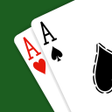
Bridge by NeuralPlay serves as an educational platform for players looking to master the game of Bridge, including Chicago and duplicate formats. The application allows users to engage with a flexible computer AI, offering six levels of difficulty. Players can practice using matchpoint scoring, which simulates real-game conditions. Additionally, the app features a customizable bidding system, enabling users to modify conventions such as SAYC, 2/1 game forcing, and ACOL. Users can analyze their performance through detailed statistics for each hand, game, and deal, allowing for targeted improvements in their gameplay.

The interface presents the AI's bidding decisions in a straightforward manner, making it easier for users to learn effective strategies. The app caters to both beginners and seasoned players, providing a robust environment for skill enhancement. With its comprehensive features, Bridge by NeuralPlay is a valuable resource for anyone looking to deepen their understanding of Bridge and improve their playing abilities.

Enlarged image for Bridge by NeuralPlay
Bridge by NeuralPlay 0/4

Used Bridge by NeuralPlay for Android?


Explore More


Full Specifications

GENERAL
Release
Latest update
Version
13.34
OPERATING SYSTEMS
Platform
Android
Operating System
Android 15.0
POPULARITY
Total Downloads
985
Downloads Last Week
1

Report Software

Program available in other languages


Last Updated


Developer’s Description

Looking for a fun, challenging Bridge game?

Looking for a fun, challenging Bridge game? Let NeuralPlay's AI challenge you!

- Play rubber bridge, duplicate teams, or practice with matchpoint scoring.

- Unique double dummy solver providing six levels of computer AI play.

- Support for Standard American Yellow Card (SAYC, five card majors), Two Over One Game Forcing, and ACOL (four card majors, weak notrump) bidding.

- Bidding and play hints. Uncertain of what to bid or play? See what the computer would do!

- Bid and play checker. Compare your bid or play with the computer's as you play!

- Bidding explanations. Tap a bid for an explanation.

- Claim the remaining tricks and NeuralPlay's double dummy solver will verify your claim.

- Review the play of the hand at the end of the hand. Resume play from any point during the review.

- Not sure about the play of a hand? Step through an approximate double dummy solution!

- Undo moves all the way to the beginning of the game.

- Replay hand.

- Achievements. Challenge yourself to accomplish them all!

- Leaderboard. Climb to the top of the leaderboard as you win!

- Share interesting hands with your friends.

- Save a human readable record of your bidding and play of a hand in the Portable Bridge Notation format (PBN). Open a PBN file for play review.

- Custom hand characteristics. Play deals with your desired distribution and point count.

- Designed for both tablets and phones.

Enjoy many features to learn and practice bridge, including:

- Bidding practice. Compare your bidding to the NeuralPlay AI's bidding.

- Card play practice. The NeuralPlay AI will automatically bid the hands.

- Double dummy play. Play the hand open against NeuralPlay's double dummy solver.

- Choose specific types of hands you would like to practice (notrump, strong two clubs, etc.).

- Choose the bidding conventions you would like to play with. Just learning? Choose to play a mostly natural bidding system.

Supported bidding conventions include: Stayman, Jacoby Transfers, Takeout Doubles, Negative Doubles, Fourth Suit Forcing, Jacoby Two Notrump, Michaels Cuebid, Unusual Two Notrump, Blackwood, Roman Key Card, Gerber, Strong Two Clubs, Weak Twos, Splinter Bids, Gambling Three Notrump, Landy, and Cappelletti (Hamilton).

We are continuing to develop and improve NeuralPlay Bridge. We welcome all your feedback. Please contact us at support@neuralplay.com.


Download.com
Your review for Bridge by NeuralPlay
Download.com

AI Assisted Content Disclosure

Content created and reviewed by Softonic with information obtained from NeuralPlay, using AI.

CNET's editorial team was not involved in the creation of this content. Opinions, analysis and reviews were not provided by CNET.