Used Blur Photo Square : Image Blur editor for Android?


Blur Photo Square : Image Blur editor Analysis

AI Assisted Content ·

Not written by CNET Staff.

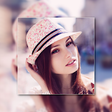
Blur Photo Square: Image Blur editor is a free multimedia application designed for Android users. It specializes in creating aesthetically pleasing images by applying various blur effects and filters without the need for cropping. Users can enhance their photos with a range of customizable borders and frames, making it an ideal tool for social media sharing. The app's intuitive interface allows for easy application of effects, ensuring that even novice users can achieve professional-looking results.

Top Recommended Alternative

The app features a robust collection of editing tools that enable users to adjust the blur radius, apply multiple layers of blur, and manipulate image size and orientation. With its automatic square formatting, photos are optimized for platforms like Instagram and Facebook. This app caters to users seeking a straightforward yet effective way to enhance their digital images, making it a valuable addition to any multimedia toolkit.

Enlarged image for Blur Photo Square : Image…
Blur Photo Square : Image Blur editor 0/4

Used Blur Photo Square : Image Blur editor for Android?


Explore More


Full Specifications

GENERAL
Release
Latest update
Version
1.7
OPERATING SYSTEMS
Platform
Android
Additional Requirements
Requires Android 4.2 and up
POPULARITY
Total Downloads
29
Downloads Last Week
0

Report Software

Program available in other languages


Last Updated


Developer’s Description

Blur Photo Square is an amazing blur background maker.

Blur Photo Square is an amazing blur background maker. In blur photo effect you can add multi layered blur frames to background to give a very creative look. It allows you to adjust blur radius as per your requirement.

Blur Photo Square is a no crop tool. It automatically gives a square shape to your image. Multi layer blur frame without any restriction about number of frames is a unique feature this editor provides.

Blur square Image blur is a picture blur app used to blur the unwanted part of your picture.

Blur square image background is an easy blur photo editor, to give your photo background, a blurry effect or depth photo effect. Blur unwanted portions of a pic effectively, and give it a blur effect, using the blur photo filters, of this blur picture editor or blur pic editor.

Blur square gives a perfect DSLR camera type effect with lot of other options like shape blur and PIP templates.

Our Blur Photo Square is a square photo editor and pip photo maker app which deserve to create amazing high quality sized square pictures and pip photo frames for Instagram that makes the best blur image background editor with instant square blur collage and best effects app for the pip photo editor blurring pictures and instant square pictures.

Try our square easy background blur to make the in square pictures today which this blur app allows you to square pic resize for the better blurring pictures and blur photos. Blur photo square app lets you to make stunning blur photos with pip templates available in our pip photo maker application for proper blurring pictures.

Blur Photo Square - Square Blur, post entire photos and make instant square pics. This Blur photo editor provides you the best blurring pictures and easiest way to create full squared sized photos with no cropping. Enjoy the instant Square Blur and create your blurring pictures with our blur image background editor app that can blur pics along with editor borders.

Make beautiful pip photo frames with our pip photo app that gives blur photos and pip photo editor blurring pictures the best blur picture app for pip camera photo maker blur photos. More than 20+ new PIP photo filters or pip photo frames for decorating your photos/pictures.

Easy share options makes our Blur Editor a user-friendly app. Share to all social networks.

Features of our Blur Photo Square App :-

* 20+ Borders with colour options to make your square blur photos without square crop using blur photo editor app in the square android market.

* 20+ Image Blur Shapes to apply to your instant square pictures.

* 20+ Pip Photo Frames to make photo blur fix and blurring pictures.

* Cascade with + and - button to make square instant pic and square photos.

* Adjust to increase and decrease fade to your point blur photos.

How to Use:-

1. Click on the Blur Square Button using our Blur Photo Square App.

2. Select image from gallery or from your phone camera

3. Adjust fade to your square sized image blur for making blurring pictures.

4. Cascade to increase and decrease to make instant square blur collage with fix photo blur best effects.

5. Borders with colour options to make your square blur photos without square crop using our blur photo editor and blur image background editor application.

6. Apply Image Blur Shapes to make your instant square pictures.

7. Click on the Pip Photo Frames button in our Blur app to make photo blur fix and blurring pictures.

8. Save your creativity to gallery and can be set as your device wallpaper.

9. Share your images through various social media networks like Facebook, WhatsApp, Instagram.

Create amazing instant square pics and pip photo frames by downloading Blur Photo square app today and also make special blur photos using our Pip Templates with the pip photo maker application.

Show your creativity to all and share with your beloved ones! If you have any comments and suggestions please send us at appwallettechnologies@gmail.com.


Download.com
Your review for Blur Photo Square : Image Blur editor
Download.com

AI Assisted Content Disclosure

Content created and reviewed by Softonic with information obtained from Appwallet Technologies, using AI.

CNET's editorial team was not involved in the creation of this content. Opinions, analysis and reviews were not provided by CNET.