Used Bead Buddy Studio for Android?
Editors’ Review
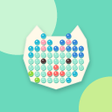
Bead Buddy Studio, from KA DI FU, is a relaxing Android bead-painting simulator where players place colored beads into guided dot patterns to create artwork. The app emphasizes hand-authored patterns and calm visual feedback, presenting a low-pressure, creation-focused session model. Sessions are short and self-contained, letting players finish single patterns in brief sittings while collecting designs into an on-device gallery. It targets casual gamers and craft-minded users who want meditative mobile play.
What kind of game is Bead Buddy Studio?
In this game, you follow guided dot patterns and place colored beads to complete decorative images. The core loop asks the player to pick a color and fill matching empty dots until the picture is complete, rewarding completion rather than a score. The design omits timers, lives, and failure states so players can work at their own pace, which frames sessions as low-pressure creative work rather than competitive puzzles.
Does it have a multiplayer mode?
Solo play is the only mode; the app centers on individual pattern completion rather than shared sessions. Controls support tap or drag placement and include undo, pause, restart, and continue for unfinished boards. Optional Hint Beads reveal correct empty dots when needed. Every completed picture becomes a collectible sticker stored in a digital Pattern Binder, creating a gradual progression of unlocked designs for completion-minded players.
What does the game look and sound like?
Beads present glossy, pop-in animations with a subtle bounce that emphasizes placement feedback. The interface keeps controls large and the color palette visible, so selecting hues and filling dots reads clearly on a touchscreen. The experience is strictly visual; there are no sound effects or haptic responses. That silence suits quiet settings and places emphasis on visual satisfaction rather than audio cues or vibration.
Is it hard to get started and what keeps you returning?
Beginners can start immediately; there is no onboarding friction beyond selecting a pattern. The app includes 24 hand-authored patterns split across four collections named Tiny Treats, Pocket Pals, Happy Places, and Rainbow Friends. Replayability depends on completing the Pattern Binder and working through the full catalog. Compared with the developer's Mini Nonogram, this title replaces deduction with decorative tasks and demands less puzzle-solving, making it friendlier for casual mobile play.
Pros
- Glossy 'pop' bead animations enhance placement feedback
- Optional Hint Beads reveal correct dots when needed
- Pattern Binder stores completed stickers for gradual progression
- No timers, lives, or failure penalties for relaxed sessions
Cons
- No audio or haptic feedback limits sensory variety
- Catalog of 24 patterns may feel small to completionists
- Hints can require watching rewarded advertisements
Bottom Line
Who should play it and one practical caveat
The app suits casual players and craft-minded users, matching user reception that praises its simplicity and calming pace. One practical caveat, rewarded advertisements can appear as an optional way to obtain hints, which affects players who avoid ads. The developer focuses on casual mobile titles, a fact that explains the app's modest scope and predictable, low-maintenance design. Consider this if you prefer uninterrupted sessions or quick creative bursts.
Used Bead Buddy Studio for Android?