Used BB Never Tell Sticker for iOS?


BB Never Tell Sticker Analysis

AI Assisted Content ·

Not written by CNET Staff.

BB Never Tell Sticker is a full version communication app designed for iPhone users who enjoy adding a playful touch to their messaging. This application provides a diverse collection of stickers that can be used in various chat platforms, enhancing the overall texting experience. Users can easily browse and select from a variety of themes and characters, making conversations more expressive and enjoyable.

The app is user-friendly, allowing for quick access to stickers directly within messaging applications. Additionally, it supports easy integration, enabling users to send stickers seamlessly. Whether for casual chats with friends or more expressive conversations, BB Never Tell Sticker offers a fun way to personalize messages while maintaining a vibrant and engaging communication style.

Enlarged image for BB Never Tell Sticker
BB Never Tell Sticker 0/4

Used BB Never Tell Sticker for iOS?


Explore More


Full Specifications

GENERAL
Release
Latest update
Version
0
OPERATING SYSTEMS
Platform
iOS
Operating System
iOS 12.1.2
Additional Requirements
Requires iOS 10.0 or later. Compatible with iPhone, iPad, and iPod touch.
POPULARITY
Total Downloads
13
Downloads Last Week
0

Report Software

Last Updated


Developer’s Description

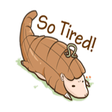
BB hurts, but BB never tell. BB keeps it to BB.

BB hurts, but BB never tell. BB keeps it to BB.

Do you want to impress your friends? Now you can enhance your iMessages with BB Stickers. Make your conversations cuter with him!

- Good image quality and large size

- Drag and Drop the stickers into your iMessages

- Layer stickers over each other in conversations in iMessages

- Scale and rotate the stickers by using a second finger before you place it on the bubbles

+ How to access stickers:

* To access iMessage apps, compose a new iMessage to a friend and tap the iMessage App Store icon alongside the compose field.

* If your your iPhone use iOS 10, Trap the four oval icon on the lower left corner to open the app drawer. From there, tap the plus icon labelled Store to access the iMessage App Store.

Then In the App Store, tap the Manage tab in the top right to add your purchased apps to your app drawer.

* If you use iOS 11 or laters, tap three dots icon on the lower right corner in iOS11. From there, tap the Edit to manage your stickers, turn on/off stickers to your iMessage.


Download.com
Your review for BB Never Tell Sticker
Download.com

AI Assisted Content Disclosure

Content created and reviewed by Softonic with information obtained from Hoang Nguyen, using AI.

CNET's editorial team was not involved in the creation of this content. Opinions, analysis and reviews were not provided by CNET.