Used Barcode X for Windows?


Barcode X Analysis

AI Assisted Content ·

Not written by CNET Staff.

Barcode X is a trial version productivity software designed for Windows that specializes in barcode generation and management. This application allows users to create a variety of barcode formats, including QR codes and UPCs, catering to both retail and inventory needs. It features an intuitive interface that simplifies the process of designing and printing barcodes, ensuring that users can easily meet their specific requirements without extensive training.

Top Recommended Alternative

In addition to barcode creation, Barcode X offers functionalities for editing and customizing barcodes with different sizes, colors, and text options. The software supports batch processing, enabling users to generate multiple barcodes simultaneously, which is particularly useful for businesses managing large inventories. With its focus on ease of use and functionality, Barcode X serves as a valuable tool for businesses looking to enhance their product labeling and inventory tracking.

Enlarged image for Barcode X
Barcode X 0/1

Used Barcode X for Windows?


Explore More


Full Specifications

GENERAL
Release
Latest update
Version
11.0.1
OPERATING SYSTEMS
Platform
Windows
Operating System
  • Windows 10
  • Windows Vista
  • Windows XP
  • Windows 8
  • Windows 7
Additional Requirements
None
POPULARITY
Total Downloads
102
Downloads Last Week
0

Report Software

Program available in other languages


Last Updated


Developer’s Description

Create professional bar codes and export them into various formats.
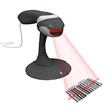
Barcode X can set sizes in %, inches, mm even SC values. It provides full control over height and bar width reduction in microns to allow for ink spread in all versions not as an additional add on, even Grip is supported for printing onto metal. With Barcode X you can use one of our barcode readers to scan a sample code and bring up the correct type and default settings in Barcode X. Supports all the industry standard code types, so never be stuck to make a code. It also supports all the other types you may wish for, categories include codes for Medical, Industrial, Retail, Publishing and many others. Ask us if you want to know if your code type is supported. Barcode X has a unique scanability indicator when choosing a colour for your barcodes, to let you know whether it will scan when printed. If you have modified the settings on a code type for a particular customer Barcode X can save these settings in a special menu for recall later. Drag and drop a barcode eps made with Barcode X onto the application icon to either make a new one or check the settings such as BWR, ideal in a repro environment where mistakes can be very costly. Barcode X is the only software on the market that automatically makes GS1 128 (EAN-UCC 128) barcodes without a special editor, simply enter the code as it would appear underneath the barcode and click OK, the application id's are automatically interpreted and the correct format output in the barcode. Barcode X has a special wizard to allow the easy creation of DataBar Coupon codes, the wizard covers all the fields that can be encoded into a databar coupon, so all you need to do is fill in the boxes and click create. Barcode X can be purchased as a bundle complete with our own Phoenix II CCD barcode reader so you really do have everything you need to make and check your barcodes scan.

Download.com
Your review for Barcode X
Download.com

AI Assisted Content Disclosure

Content created and reviewed by Softonic with information obtained from Peninsula Group, using AI.

CNET's editorial team was not involved in the creation of this content. Opinions, analysis and reviews were not provided by CNET.