Used AV For Pro Tools 11 Features for Android?


AV For Pro Tools 11 Features Analysis

AI Assisted Content ·

Not written by CNET Staff.

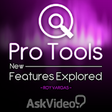
AV For Pro Tools 11 Features is a free multimedia app designed for Android users who aspire to master the Pro Tools 11 music production software. This educational application offers a structured course featuring 40 lessons tailored for beginners, covering essential skills such as songwriting, instrument performance, and audio recording. Users can expect to gain insights into the app's various tools while exploring their creativity in music production.

Top Recommended Alternative

The app provides foundational knowledge in music theory and composition, catering to aspiring musicians, songwriters, and audio engineers. With lessons focused on practical skills, including how to mix and record songs, users will develop a comprehensive understanding of how to utilize Pro Tools 11 effectively. By the end of the course, users will be equipped to create their own music, enhancing their proficiency with one of the industry’s leading software solutions.

Enlarged image for AV For Pro Tools 11 Featu…
AV For Pro Tools 11 Features 0/3

Used AV For Pro Tools 11 Features for Android?


Explore More


Full Specifications

GENERAL
Release
Latest update
Version
1.1
OPERATING SYSTEMS
Platform
Android
Additional Requirements
Requires Android 4.2 and up
POPULARITY
Total Downloads
108
Downloads Last Week
0

Report Software

Program available in other languages


Last Updated


Developer’s Description

This FREE 40-tutorial course reveals, explores and explains all of the new and noteworthy features introduced in Avid's Pro Tools 11.

This FREE 40-tutorial course reveals, explores and explains all of the new and noteworthy features introduced in Avid's Pro Tools 11. Get up to speed in a hurry and find out what makes PT11 the best Pro Tools ever...

App Features:

146 minutes of video training

Super clear explanations

Offline Playback (no internet connection needed)

Easy to navigate

Course Outline:

1. Introduction (01:05)

2. Avid Audio Engine (04:24)

3. 64 Bit (03:59)

4. Playback Engine (01:52)

5. System Usage Window (02:24)

6. Low Latency Input Buffer (02:29)

7. Maximum Delay Compensation (02:44)

8. Dynamic Plug In Processing (03:48)

9. Video Engine (02:25)

10. Instrument Track Count (01:57)

11. 64 Levels of Undo (02:34)

12. Drag and Drop Install (01:24)

13. Pro Tools 10 and 11 Co-install (04:06)

14. Avid Support in the Help Menu (01:34)

15. Offline Bounce (05:58)

16. Bouncing an MP3 with Another File Type (02:46)

17. Bounce from Sends and Track Outputs (06:41)

18. Bouncing MP3 to QuickTime (02:27)

19. Bounce to QuickTime Settings (05:45)

20. The New Workspace Browser (05:51)

21. Browser Menu Enhancements (05:18)

22. Improved Database File Management (06:10)

23. Enhanced Database Searching (04:30)

24. 64Bit AAX Plug In Support (02:59)

25. Click II plug In (04:47)

26. Advanced Metering - Part 1 (02:42)

27. Advanced Metering - Part 2 (05:34)

28. Advanced Metering - Part 3 (03:40)

29. Output Meters (03:56)

30. Headroom Indicator (04:19)

31. Track and Send Clip Indicators (02:36)

32. Send Enhancements - Part 1 (03:21)

33. Send Enhancements - Part 2 (01:38)

34. Insert Enhancements (03:32)

35. Restore Previously Shown Tracks (02:21)

36. Add new Track Enhancements (03:54)

37. Transport Fade In (03:27)

38. Enable Automation During Record (04:22)

39. Video Track Improvements (05:04)

40. Video Preferences and Satellite LE (03:49)

41. Conclusion (01:09)


Download.com
Your review for AV For Pro Tools 11 Features
Download.com

AI Assisted Content Disclosure

Content created and reviewed by Softonic with information obtained from AskVideo.com, using AI.

CNET's editorial team was not involved in the creation of this content. Opinions, analysis and reviews were not provided by CNET.