Used Audacity: Audio Editor for Android?


Audacity: Audio Editor Analysis

AI Assisted Content ·

Not written by CNET Staff.

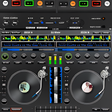
Audacity: Audio Editor is a free multimedia application designed for Android users, focusing on music editing and mixing. This software provides a suite of tools that enable users to create, mix, and trim audio tracks effectively. It caters to both musicians and casual listeners, allowing for the manipulation of personal music files and the enhancement of existing songs. With its intuitive interface, users can easily navigate through various features to achieve their desired sound quality.

Top Recommended Alternative

In addition to basic editing functionalities, Audacity allows users to customize audio for various purposes, such as ringtones, notifications, and alarms. The app supports importing and exporting multiple audio formats, enhancing its versatility. Users can apply effects, adjust levels, and make detailed edits to their tracks, ensuring a polished final product. Overall, Audacity: Audio Editor is a robust tool for anyone looking to delve into audio production on their Android devices.

Enlarged image for Audacity: Audio Editor
Audacity: Audio Editor 0/1

Used Audacity: Audio Editor for Android?


Explore More


Full Specifications

GENERAL
Release
Latest update
Version
1.152
OPERATING SYSTEMS
Platform
Android
Operating System
Android 13.0
POPULARITY
Total Downloads
1,607
Downloads Last Week
9

Report Software

Program available in other languages


Last Updated


Developer’s Description

An amazing music editor on wavepad you have never met before! Audio Editor: Sound Editor has all the audio lab features you can edit audio easily would ever want for audio editing by the music mixer.

Our sound editor app, just doesn't like other audio lab, supports audiolab editing, ringtone maker cutting, music cutter splicing, mixing and voice changer in the voice editor, where you can easily edit audio in music editor, and become a super ringtone maker via audio editing anytime and anywhere, much like wavepad with sound editor. Audacity: Audio Editor, your professional audio lab & soundlab which you can't miss!

Why choose Audacity: Audio Editor?

  • All voice editor editing tools are available for you to use for FREE
  • Audio Input & Audio Trim & Audio Splice & Audio Mixer
  • Volume Adjuster & Fade Effect & Adobe Audition
  • Download various audio lab ringtones for FREE
  • Ringtone maker Setting: as your phone's ringtone, notification or clock
  • Unique dynamic voice editor style UI design
  • Support multiple soundlab audio formats
  • High-definition audio quality after audio editing
  • Easily manage all types of audio by audio mixer
  • Quick share your soundlab masterpiece to other platforms

How to use Audacity: Audio Editor:

  1. Choose a music file from your phone or SD card by music editor
  2. Select the desired length of the music you want to edit music with noise reducer
  3. Custom ringtones or audio clip to edit audio with tag editing options (Title, Format, Bitrate, Volume, etc.)
  4. Save or share as a ringtone, Alarm, Notification, or any other desired format.

Powerful Ringtone TrimmerTrim your favorite music and custom ringtones with this powerful ringtone maker. It's packed with tons of features to explore with wavepad.

Personalized Ringtone EditorCustom ringtones for yourself and your loved ones. Download this ringtone editor to unleash your creativity on wavepad.

Audio Merger and JoinerEasily edit audio to combine multiple audio files with the audio merger via voice editor and joiner function in adobe audition. You can rearrange the order of the music editor songs and join them with great sound quality.

Audio MixerA convenient audio mixer perfect for music enthusiasts or adobe audition. With sound editor, mix your favorite tracks together via adobe audition and create a unique soundlab experience.

More audio editing features are under development!

If you have any questions or feedback about the use of Audacity, please contact us at vieworldservice@hotmail.com.


Download.com
Your review for Audacity: Audio Editor
Download.com

AI Assisted Content Disclosure

Content created and reviewed by Softonic with information obtained from Vieworld, using AI.

CNET's editorial team was not involved in the creation of this content. Opinions, analysis and reviews were not provided by CNET.