Used Arcade Daze XP for Android?


Arcade Daze XP Analysis

AI Assisted Content ·

Not written by CNET Staff.

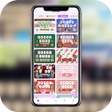
Arcade Daze XP is a full version application designed for Android devices, focusing on providing a wide range of vibrant wallpapers inspired by classic arcade games. It features an extensive library of high-quality images that capture the essence of retro gaming, allowing users to customize their device's home and lock screens with nostalgic visuals. The app is user-friendly, offering an intuitive interface that makes browsing and selecting wallpapers a straightforward experience.

Top Recommended Alternative

In addition to its impressive collection, Arcade Daze XP may include options for adjusting wallpaper settings, such as scaling and positioning, ensuring that images fit perfectly on various screen sizes. Users can easily switch between different wallpapers, making it simple to refresh their device's look whenever desired. This application is ideal for fans of arcade culture who appreciate the artistry of classic games and want to bring that aesthetic to their everyday technology.

Enlarged image for Arcade Daze XP
Arcade Daze XP 0/4

Used Arcade Daze XP for Android?


Explore More


Full Specifications

GENERAL
Release
Latest update
Version
4.7.0
OPERATING SYSTEMS
Platform
Android
Operating System
Android 13.0
POPULARITY
Total Downloads
44
Downloads Last Week
0

Report Software

Program available in other languages


Last Updated


Developer’s Description

Icon pack is based on and developed further on icons created by Gedeon Maheux.

This is just an icon pack (not a game). It works to change the apperance of icons used on your phone/tablet. It is not a standalone app, it requires a launcher program (like Nova, ADW, Next, etc).

In order to apply the iconpack,

1) Make sure a Launcher program is installed (e.g. Nova, ADW, Apex, GO, Next or similar)

2) Open "Arcade Daze XP"

3) Find "Quick Apply" tab on top (5th on left, 2nd on right)

4) Select the Launcher program you already installed.

or

1) Open your launcher program (e.g. Nova, Action, ADW, Apex, GO, Next or similar)

2) Find the "Look&Feel" (Nova), "Display" (Action), "Themes" (ADW), "Theme Settings" (Apex) or similar for other launcher program on their own "settings" menu

3) Select "Icon Theme" (or similar) and choose "Arcade Daze XP"

- - - - - - -

This Icon pack is a further development over the concept design created by Gedeon Maheux ©2015 The Iconfactory, Inc. For the introductionary free version please refer to

https://play.google.com/store/apps/details?id=com.architurk.arcade_daze_2

This app is engineered on the "Polar Dashboard" created by Aidan Follestad and friends (http://afollestad.github.io/polar-dashboard/gettingstarted.html)

All questions, suggestions, comments and requests are highly appreciated @ architurk@gmail.com

Peace and Love ;)

PS: widget appear on screenshot is "Pixel Art Clock" by Nasc

https://play.google.com/store/apps/details?id=com.nasc.widget.pixelartclock


Download.com
Your review for Arcade Daze XP
Download.com

AI Assisted Content Disclosure

Content created and reviewed by Softonic with information obtained from architurk, using AI.

CNET's editorial team was not involved in the creation of this content. Opinions, analysis and reviews were not provided by CNET.